1
Release Notes R&S TSMU, TSMQ, TSML-x, TSMU-H
V12.72
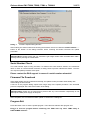
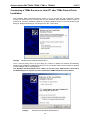
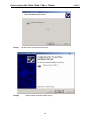
In configurations where more than one TSMx instrument are connected, select the appropriate
instrument from the list box.
In cases where no instrument is being detected automatically the connection could be initiated
manually by pressing “Connect TSMx” button.
No TSMx device is being detected
If the manual connection fails even a TSMx device is connected, the wiring and the power supply
should be verified. Reset the instrument (via Reset button on the front panel or by removing the power
plug on the rear panel) and try to connect again.
If this problem persists, please proceed with the trouble shouting section in the user manual.
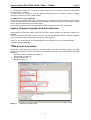
Implicit Firmware Upgrade while Auto-Detection
While detecting connected TSMx devices the program checks whether the firmware needs to be
updated.
Only for instruments with older firmware revisions, the tool automatically offers the firmware upgrade.
For the others this step will be passed without any user interaction.
Even if it’s not recommended, the firmware update can be neglected. The successful firmware
upgrade will be acknowledged.
TSMx System Information
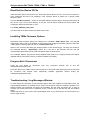
Initially after connecting to the instrument, the utility displays the TSMx Info property page. This page
gives an overview of the system information of the selected instrument. The following items are being
displayed:
- Hardware revision of assembled PCB’s (1)
- Device serial numbers (2)
- Firmware version (3)
- Calibration date (4)
Dialog 2
“TSMx Info” Property Page
8