1
50
Chapter 3: Configuration and Manual Operation
VStack User Guide
Placing a Plate and
Examining Sensor
Readings
Before making further adjustments to sensor settings, place the plate you
want to use on the VStack and examine the current readings.
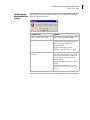
To examine the sensor readings:
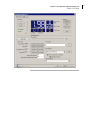
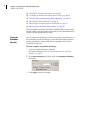
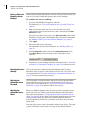
1. Open the VStackBioNet Diagnostics software.
For directions, see “Opening Diagnostics for a Specific VStack” on
page 36.
2. Make sure that the plate you plan to use has only one notch,
positioned in either of the far corners, and is selected in the Plate
Selection list box.
If the plate type does not appear in the Plate Selection list box, add
definitions for the plate in the labware editor. For more information,
see “Adding a Plate Type To the Labware Database” on page 39.
3. Click Apply.
4. Place the plate on the plate stage.
For information about plate orientation, see “Placing a Plate” on
page 30.
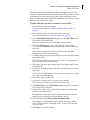
5. In the Teachpoints section next to the Orientation Sensor value,
click Move Here to move the stage to the Orientation sensor
position.
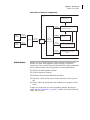
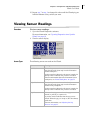
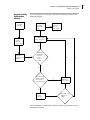
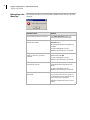
6. Examine the sensor readings and refer to the flowchart in “Overview
of Setting Up Orientation Checking” on page 47 for what to do next.
Adjusting the Sensor
Intensity
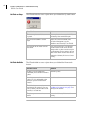
The sensor intensity is adjusted using the labware editor. See the
definition of this property in the Database and Security User Guide. Also,
see the flowchart in “Overview of Setting Up Orientation Checking” on
page 47 for when to adjust this property.
Adjusting the
Orientation Sensor
Threshold
The Orientation sensor threshold is adjusted using the labware editor.
See the definition of this property in the Database and Security User
Guide. Also, see the flowchart in “Overview of Setting Up Orientation
Checking” on page 47 for when to adjust this property.
Adjusting the
Orientation Sensor
Offset
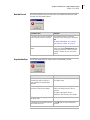
When you added a labware entry, the plate specific orientation sensor
offset was set to zero. Earlier, you entered a default value calculated
from plate measurements (“Changing the Default Orientation Sensor
Value” on page 49). If this value is not accurate enough for your specific
plate type and VStack, you will have been directed here from the
overview flowchart. Follow this procedure to obtain a more accurate
offset value.
Note that this property can be changed in either of two places. The plate
specific orientation sensor offset is a proxy of the labware editor’s