1
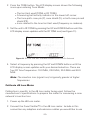
3. Select a cable-tracing cadence by pressing the UP and DOWN buttons
until the display screen updates with the desired tone. There are four
cadences to choose from: HL1, HL2, Hi, and Lo.
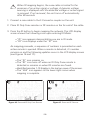
!
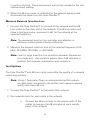
Whenever you change the cadence, the coax cable is tested
for the presence of an active signal or voltage. If detected,
the warnings display until the unit is disconnected from the
voltage or active signal source. If the Coax Clarifier™ is not
removed from the voltage or signal source, the unit turns
OFF after 90 seconds.
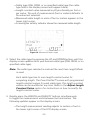
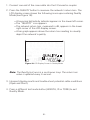
4. Set the tone path (coax pin, coax shield, or coax pin and shield) by
continuously pressing the TONE button until the tone path of your
choosing updates in the LCD display screen.
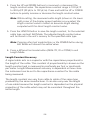
5. Use the tone probe, according to the tone path selected, to identify
cable runs.
6. Interpret display results and trouble-shoot potential cable conditions
(Open, Short, or Terminated).
7. Press a different test mode button (LENGTH, QUALITY, or ID) to exit
Tone Mode.
Measure Network Insertion Loss
The Coax Clarifier™ can measure point-to-point insertion loss (and gain) in
a coax network by reporting the signal loss/gain value in terms of dB. This
is accomplished by connecting the Coax Clarifier™ to one end of the network and a companion dB Loss meter to the end of a run in the network.
Note: For best measurement accuracy, the cable network or
individual splitter must be properly terminated. Use the
F-Terminator plug accessory to terminate unused connections.
Prepare Test Unit
1. Connect a coax cable to the F-Connector coupler on the unit.
19