1
MAINTENANCE
Coax Clarifier™ Battery Replacement
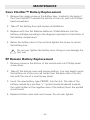
1. Remove the single screw on the battery door, located in the back of
the Coax Clarifier™ towards the bottom of the unit, with a #1 Philips
head screwdriver.
2. Take off the battery door and remove old batteries.
3. Replace with four AA Alkaline batteries. Slide batteries into the
battery cartridge according to the diagram imprinted on the bottom of
the battery compartment.
4. Return the battery door to the unit and tighten the screw to secure
the battery door.
!
Do not over tighten the battery door. Doing so can damage the
test unit.
RF Remote Battery Replacement
1. Remove screw on the bottom of the remote with a #1 Philips head
screw driver
2. Take off the bottom cover and remove battery. You may need to push
the battery out of the coin cell holder from the back side of the battery with the use of a small screw driver.
3. Insert the new battery, type CR2032, into the slot. The side of the
battery marked by a positive “+” symbol should be placed towards
the metal holder so the negative side of the battery faces the printed
circuit board.
4. Replace bottom cover and insert screw. Do not over tighten.
32