1
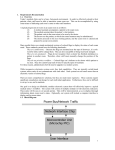
User Manual for the Mars Calibration Bench Fall 2013 Table of Contents iii Table of Contents Table of Contents ........................................................................... iii Introduction ..................................................................................... v Chapter 1: The Mars Calibration Bench ......................................... 1 What Is the Mars Calibration Bench? ......................................... 3 Why Capstone Metering Uses the Mars Calibration Bench ....... 4 General Water Line Diagram ...................................................... 4 Components of the Mars Calibration Bench ............................... 5 Chapter 2: How to Operate the Mars Calibration Bench .............. 11 Safety Precautions ..................................................................... 13 Safely Powering On/Off the Mars Calibration Bench ............. 14 Installing/ Uninstalling Water Meters ....................................... 15 Running Water through the Mars Calibration Bench ............... 17 Chapter 3: Additional Information................................................ 25 What to Do in Case of Emergency or Leak .............................. 27 Maintenance Procedures ........................................................... 27 Index ............................................................................................. 31 Introduction v Introduction This manual is written to help Capstone Metering employees learn the basic functions and operation procedures of the Mars Calibration Bench. This manual will show: How to safely power on/off the system What to do in case of emergency How to conduct routine maintenance procedures How to operate the Mars Calibration Bench This manual describes each step to safely operating the Mars Calibration Bench. A majority of the steps include visual aids to help you get a better understanding of the Mars Calibration Bench. Chapter 1: The Mars Calibration Bench 2 User Manual Chapter 1 3 What Is the Mars Calibration Bench? The Mars Calibration Bench (MBC) is the primary instrument used to calibrate the IntelliH2O® Water Meter. This bench is capable of calibrating 10 individual ¾" X 5/8" residential water meters. The bench can output water-flows between 0.02 Gallons per Minute (gpm) to 50 gpm via a variable-frequency pump. The bench operates under pressures ranging from 1–150 pounds/square in (psi). Image 1.1 The MBC can record, calculate, and manage a wide range of water-flows while still maintaining accuracy and repeatability. The variable-frequency pump used with the bench can maintain a nearly stable pressure at any given flow. The MBC draws water from a 500-gallon tank in the factory and empties into an adjacent 100-gallon tank. The 100-gallon tank is placed on top of an accurate and sensitive scale which calculates the volume of water in the tank. After the 100-gallon tank is filled, a drain pumps the water from the 100-gallon tank back into the 500-gallon tank. 4 User Manual Why Capstone Metering Uses the Mars Calibration Bench Capstone Metering uses the MBC because it is one of the most precise and controllable water-flow instruments on the market. This allows Capstone to calibrate individual IntelliH2O® meters to meet the American Water Works Association (AWWA) accuracy standards for Automated Meter Readings (AMR). The MBC has several features that are unique and greatly helps in calibrating IntelliH2O® Water Meters. The bench can maintain a constant pressure and flow for an extended period of time and can accurately calculate the total flow and volume of water run through the system over a known period of time. The MBC can also start and stop water-flow at any given time. These features provide the best system possible for calibrating water meters. General Water Line Diagram 500 Gallon Tank Machine Shop Pump Room 100 Gallon Tank Pump: Flow Out: Flow Return: Secondary Lines: Image 1.2 Mars Bench Calibration Room Chapter 1 5 Image 1.2 is an overhead diagram of the water lines in relation to the pump, water tanks, and the Mars Calibration Bench. The bolded annotations are described below: Pump Room: the room designated for the pumps, major shut off valves, tank drain hole, and the frequency drives which power the pumps. Machine Shop: the room where separate water lines are connected to the main water lines for other water-flow benches. These pipes are overhead and do not interfere with any operations within the Machine Shop. Calibration Room: the designated calibrating room. This room contains the Mars Calibration Bench, the MBC Operating Computer, the 100-gallon tank, and the drain pump. The majority of the work needed to operate the MBC will be performed in this room. Components of the Mars Calibration Bench Image 1.3 6 User Manual Image 1.3 gives a general view of the Mars Calibration Bench. Image 1.4 Image 1.4 shows the Left and Right bays (respectively) on the MBC. Each bay is able to close and open independently. Image 1.5 Image 1.5 is the Mars Calibration Bench Control Panel. This computer controls all of the functions and operations of the MBC. This is the main tool you will use when operating the MBC. Chapter 1 Image 1.6 Image 1.6 shows the Water-Flow Control Fixture. These waterflow meters accurately measure flows from 0.2 gpm to 18 gpm. The water-flow can be adjusted using the ball valves under each flow meter. Image 1.7 Image 1.7 shows the 100-gallon tank on top of the weight scale and the drain pump. 7 8 User Manual Image 1.8 Image 1.8 shows the both outlet valves at the end of the MBC. Image 1.9 Image 1.9 shows the both inlet valves (in the closed position) at the front of the MBC. Chapter 1 9 Chapter 2: How to Operate the Mars Calibration Bench Chapter 2 13 Safety Precautions The Mars Calibration Bench is considered to be “heavy equipment” under Occupation Safety and Health Administration (OSHA) standards. Caution should be exercised while working around the bench and its components. The following precautions should be made before attempting to operate the Mars Calibration Bench: Check with your supervisor to make sure you are clear to operate the Mars Calibration Bench Visually inspect the pipes and valves to make sure they are all connected before turning the power on Confirm that the power supply is connected and that no wires are misplaced Confirm that the water meters are installed correctly in the MBC to prevent major leaks. Remove any other equipment or tools around the MBC to allow easy access to shut-off valves and emergency shut off equipment. Capstone Metering is concerned about the safety of its employees. If you have any questions regarding the safety procedures or operation of the Mars Calibration Bench, contact your supervisor. 14 User Manual Safely Powering On/Off the Mars Calibration Bench Image 2.1 The frequency drive (left) is powered by a 480 volt, 30 amp power supply (right). To turn on the MBC: 1) Check with your supervisor to make sure that you have permission to operate the MBC. 2) Visually inspect the hoses and connections in the Pump Room for disconnected hoses or pipes. If there is a connection break, inform your supervisor. 3) Carefully push the power supply lever to the “On” or “Up” position. 4) Wait several seconds for the power to charge the frequency drive. 5) Turn the handle dial on the frequency drive 90 degrees clockwise to the “On” position. Image 2.2 6) Turn the power switch on the MBC to the “on” position. 7) Turn the pump switch on the MBC to the “auto” position. Chapter 2 15 Image 2.3 If for any reason you must leave the MBC unattended for more than 15 minutes, turn the pump switch back to the “off” position. This reduces the amount of power drawn by the pump and MBC. When you return, simply return the switch to the “auto” position. To power off the MBC and the frequency drive: 1) Inform your supervisor that you are powering off the MBC. 2) Remove any IntelliH2O® meters from the bench. 3) Drain all water in the tank by pushing the “drain” button on the control panel. This may take a few minutes. 4) Turn the pump switch to the “off” position. 5) Turn the power switch to the “off” position. 6) Turn the frequency drive handle 90 degrees counterclockwise to the “off” position. 7) Pull the power supply lever down to the “off” position. Installing/ Uninstalling Water Meters In order to run water and calibrate the IntelliH2O® water meter, it must first be properly installed on the Mars Calibration Bench. An improperly installed water meter can affect the calibration results of every meter on the MBC. To properly install/ uninstall water meters on the MBC: 1) Turn the power on for the frequency drive and the MBC. 2) Confirm that no water is flowing through the MBC. 16 User Manual 3) Close both inlet and outlet valves for each MBC bay. Image 2.4 4) Open two or three bleeder valves by turning the knobs counter-clockwise in each MBC bay to decrease pressure in the system. Image 2.5 5) Press the “Open” button to install or uninstall meters. Press the “Close” button to close the bay and seal the meters. Left Bay Right Bay Image 2.6 Chapter 2 6) Install meters in correct orientation. 17 Water-Flow Image 2.7 7) Listen for an audible “clicking” noise when pressing the “Close” bay button on the MBC. The bay is properly sealed when this clicking noise is heard. 8) Close the bleeder valves. 9) Open both the inlet and outlet valves. Running Water through the Mars Calibration Bench After all preparation work and safety precautions have been completed, the Mars Calibration Bench is ready to operate. The following steps will show you how to operate the MBC through the MBC Control Panel. 18 User Manual 1) Press the “Run” button or “F2” on the Control Panel. Image 2.8 2) Select a tank to use: “F1” for the 10 gallon tank or “F2” for the 100-gallon tank. Image 2.9 Chapter 2 19 3) Select a water line for the desired flow. Press “F1” for flows between 0.2-1.5 gpm, “F2” for flows between 1.5-18 gpm, and “F3” for flows 15+ gpm. Image 2.10 4) Input the desired flow rate from the keypad on the right. Press “Enter” when you have chosen the flow rate. Image 2.11 20 User Manual 5) Choose which method you want to use to determine total water-flow. Press “F1” to run via time and “F5” to run via volume. Image 2.12 6) Input the desired value of time (in seconds) or gallons that you want to flow through the MBC. Image 2.13 Chapter 2 21 7) Press “Yes” or “F5” when you come to this screen. This will automatically drain the water in the tank after a run is completed. Image 2.14 8) Press “F5/Yes” when you are ready to begin running water through the MBC. Image 2.15 22 User Manual 9) Wait until the water starts flowing before adjusting anything else. The screen will display a countdown from 10-0 seconds before the valves will open to allow water to flow. Image 2.16 10) Observe the screen. You can see the total amount of gallons that have been pumped into the tank and the approximate water-flow. Image 2.17 Chapter 2 23 You may need to increase or decrease the flow rate to be as close as possible to your desired flow rate. You can do this by: a. Manually adjusting the flow rate via the ball valves under the flow meters in image 1.6. b. Pressing either “F1” or “F2” to increase or decrease (respectively) the pump frequency. This method is not as accurate as using the ball valves. 11) Observe the screen after all the water has been flowed through the MBC and into the water tank. This screen will tell you the total amount of water in the tank and the average water -flow throughout the entire run. Image 2.18 This section concludes the instructions for operating the Mars Calibration Bench. Repeat steps 1-11 as many times as necessary to gather the information from the water meters you are testing. If you have any questions regarding the operations of the Mars Calibration Bench, contact your supervisor. Chapter 3: Additional Information Chapter 3 27 What to Do in Case of Emergency or Leak Leaks can occur from improperly installed water meters, a disconnected or broken water line, or an over-filled water tank. A leak can vary in severity, from a small stream to a gushing flow. For any leak, always use caution when stopping the leak and cleaning up to prevent injury. For any leak, follow these steps: 1) Determine where the leak is coming from. 2) Press the “Emergency Stop” button on the MBC control panel. 3) Close any valve in the flow direction that is before the leak to prevent overflow. 4) Confirm that the leak is stopped. 5) Inform your supervisor about the leak. 6) Inspect any electrical equipment around the area of the leak for damage. 7) Disconnect or power off any electrical device that got wet during the leak. 8) Ask for help to clean up if the leak is severe. 9) Dry as much of the equipment off as possible. Return to normal operation as soon as feasibly possible. If you have any questions regarding emergency leak procedures, contact your supervisor. Maintenance Procedures Occasionally, the Mars Calibration Bench needs to be cleaned and maintained. The basic maintenance steps are: 1) Remove all unused tools or objects from the Mars Bench 2) Wipe down all surfaces of the MBC with a paper towel and a cleaning agent such as Windex or 409. 3) Sweep and mop the floor surrounding the MBC, water tank, and pump room. 4) Check to make sure all equipment used with the MBC is in working order. 28 User Manual Every few months, the 500-gallon tank in the factory needs to drained and refilled. To drain the tank: 1) Check with your supervisor to make sure it is OK to drain the tank. 2) Turn off the MBC, frequency drive, and power supply. 3) Check the pump strainer: a. Close the valve before the strainer. b. Unscrew the brass nut. c. Pull the strainer out and inspect. d. Rinse the strainer if needed. Image 3.1 4) Open the drain valves in the pump room and wait until all the water has drained. 5) Close all the drain valves. 6) Place the end of the adjacent hose into the tank. 7) Turn on the hose water. 8) Check the water tank level every 5 minutes. Chapter 3 29 Image 3.2 9) Continue filling the tank until you see the water level in the window of the water tank Index 31 Index American Water Works Association...................... 4 AMR ................................... 4 Automated Meter Readings 4 AWWA ............................... 4 bay ........................... 6, 16, 17 Capstone Metering .... v, 4, 13 Control Panel control panel........ 7, 17, 18 drain .......... 3, 5, 8, 15, 21, 28 emergency ............... v, 13, 27 flow meters.................... 8, 23 IntelliH2O ................. 3, 4, 15 leak .................................... 27 maintenance .................. v, 27 Mars Calibration Bench . 1, v, 3, 4, 5, 6, 7, 13, 15, 17, 24, 27 Occupation Safety and Health Administration ... 13 OSHA................................ 13 power supply ... 13, 14, 15, 28 pump ......... 3, 5, 8, 15, 23, 28 supervisor . 13, 14, 15, 24, 27, 28 tank3, 5, 8, 15, 18, 21, 22, 23, 27, 28, 29 valve valves ...................... 27, 28 valves valve 5, 8, 9, 13, 16, 17, 22, 23, 28 variable-frequency .............. 3 Water Flow Control Fixture 8 Water Meter ........................ 3