1
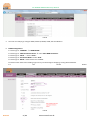
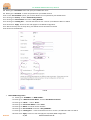
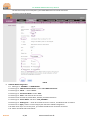
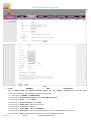
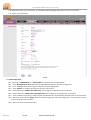
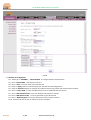
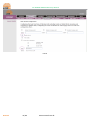
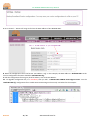
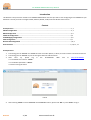
OT-4020VW GEPON ONU Entry Manual FIG-02 5. Then we are ready to go configure DHCP, STATIC IP, PPPOE, VLAN, VoIP and Wireless. 6. PPPOE Configuration: 6.1. Please go to ‘ INTERNET ‘ ‘ WAN CONFIG ‘ 6.2. Please go to ‘ WAN Connection Name ‘ select ‘New WAN Connection’ 6.3. Please go to ‘ Mode ‘ -> select ‘ Route ‘ 6.4. Please go to ‘Connection Mode’ select ‘IPV4’ 6.5. Please go to ‘PPPOE ‘ and check the box of PPPOE 6.6. Please check the first box reading ‘Pppoe Proxy Or Mixed Pppoe Bridging/routing Mode Disabled’ 6.7. See FIG-03 FIG-03 OverTek 2 / 14 www.overtek.com.br Below: