1
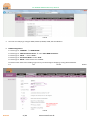
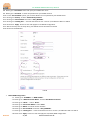
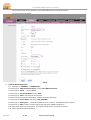
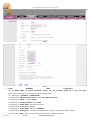
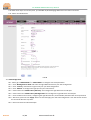
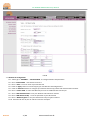
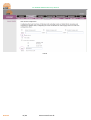
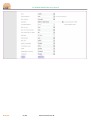
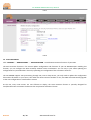
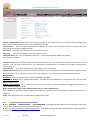
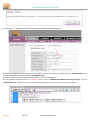
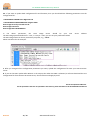
OT-4020VW GEPON ONU Entry Manual 6.8. Please go to ‘User Name ‘ blank and input your PPPOE User name 6.9. Please go to ‘ Password ‘ to enter the password for your PPPOE account 6.10. For the ‘Service Name’ option, you can leave blank if it’s not specified in your PPPOE Server. 6.11. Please go to ‘Dial-up ’ select ‘Automatically Connect’ 6.12. Please go to ‘Service Mode’ and select ‘ VoIP_INTERNET ’ 6.13. Please go to ‘ Binding Port ’ – check all the boxes for Port 1 to Port 4, and Wireless SSID 1 to SSID 4 6.14. Please click ‘ Apply ’ button to save and apply the new PPPOE configuration. 6.15. After these steps are correctly done, your PPPOE session should be connected. 6.16. Please see FIG-04 Below: FIG-04 7. DHCP WAN Configuration 7.1. . Please go to ‘ INTERNET ‘ ‘ WAN CONFIG ‘ 7.2. Please go to ‘ WAN Connection Name ‘ select ‘New WAN Connection’ 7.3. Please go to ‘ Mode ‘ -> select ‘ Route ‘ 7.4. Please go to ‘Connection Mode’ select ‘IPV4’ 7.5. Please go to ‘DHCP ‘ and check the box of DHCP 7.6. Please go to ‘Service Mode’ and select ‘ VoIP_INTERNET ’ 7.7. Please go to ‘ Binding Port ’ – check all the boxes for Port 1 to Port 4, and Wireless SSID 1 to SSID 4 7.8. Please click ‘ Apply ’ button to save and apply the new DHCP WAN configuration. OverTek 3 / 14 www.overtek.com.br