1
Troubleshooting & Maintenance
Maintenance
Replacing
placing the 4–20
mA Board
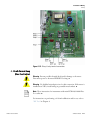
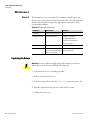
Warning Prevent possible electrical shock and/or damage to the meter:
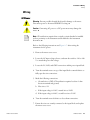
Disconnect power to the meter PRIOR TO wiring. ▲
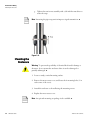
1. Remove the meter access cover.
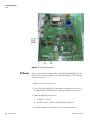
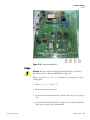
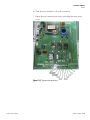
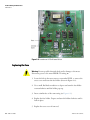
2. Locate the 4–20 mA board (reference Figure 6–8) and disconnect the
wiring to the current loop module.
3. Remove the 2 screws in the lower corners of the module, and lift the
module straight out to prevent damage to the connector on the main
board.
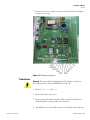
4. Align the pins on the replacement module with the connector on the
main board.
5. Press the module straight in toward the board.
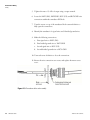
6. Ensure the screw holes in the mounting posts on the main board align
exactly with the screw holes in the module, and replace the screws.
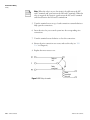
7. Wire and configure the 4–20 mA loop (reference Chapter 2).
8. Reconnect power, and calibrate the current loop according to “4–20
mA Loop Calibration” in Chapter 4.
9. Replace the access cover.
Thermo Fisher Scientific
SX40 User Guide 6-7