1
Operation, LF 2.0
!
WARNING
Only qualified electrical personnel familiar with the construction and operation of this equipment
and the hazards involved should install, adjust, operate, or service this equipment. Read and
understand this manual and other applicable manuals in their entirety before proceeding. Failure
to observe this precaution could result in severe bodily injury or loss of life.
The status of the drive can be viewed on the Operator Interface Module (OIM) or on various LEDs.
Using the Interface
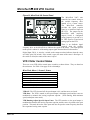
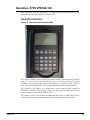
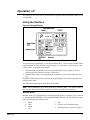
The LCD Operator Interface Module is a keypad/display that enables programming, monitoring, and
controlling the drive.
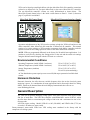
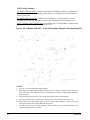
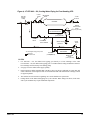
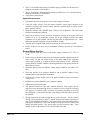
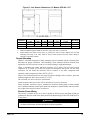
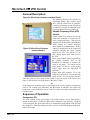
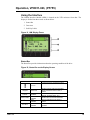
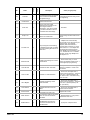
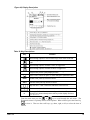
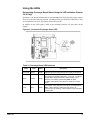
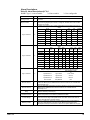
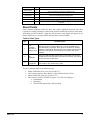
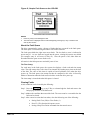
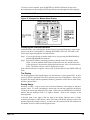
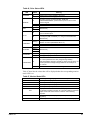
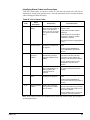
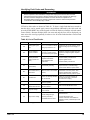
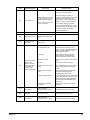
Figure 39, Operator Interface Module
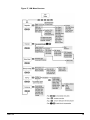
Refer to
Figure 39 for display
d
i ti
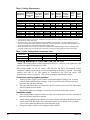
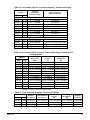
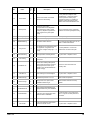
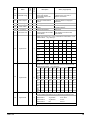
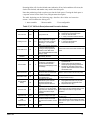
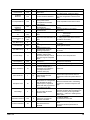
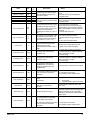
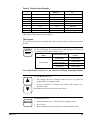
Refer to Table 30 for
key descriptions.
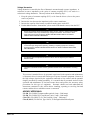
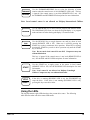
CAUTION
Stop and start keys are
never used to start or stop
the drive/compressor.
These functions are
controlled by the chiller
MicroTech II only.
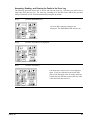
Powering Up and Adjusting the LCD OIM
•
The first time the LCD OIM is powered up, you will be prompted to select a language for
the display text. If the Start-Up routine has not been completed, the Start-Up menu is
displayed immediately following the language selection screen.
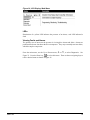
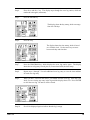
Selecting the Fast Power Up Feature
•
The fast power up feature bypasses the initialization screen at power up, and the Main
Menu is displayed immediately. To select this feature, select Fast PwrUp Mode from the
Display menu.
Adjusting the Screen Contrast
•
To adjust the screen contrast, select Contrast from the Display menu.
Resetting the Display
•
IOMM 1159
Do not reset the display to “factory settings” as these may be the display manufacturer’s
settings and not the McQuay factory settings.
71