1
VRiSim Installation
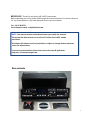
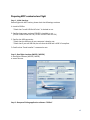
With MCP combo panel, an “Install DVD” is included. When you insert it in DVD driver of your
computer, “VRinsight HTML” document will be shown. Then click “VRiSim” (operating
software) and install it at a proper folder.
“VRiSim” is the main operating software of VRinsight used for all VRinsight flight panels.
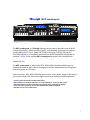
VRiSim software supports full functions of MCP combo panel and completely interfaced with
MSFS9 and MSFSX enables full simulation with simple connection with your computer
through USB.
Be sure that when installing VRiSim, “Install USB-Serial Driver” must be checked.
After installation, you can find “SeiralFP2” in “All programs” of “Start menu”.
USB Connection
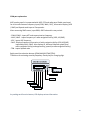
The connection between MCP combo panel and your computer is made using a USB cable
that plugs into an USB port on your computer. If you want to use a USB hub, be sure that the USB
hub is USB 2.0 compliant. Otherwise it may cause a malfunction.
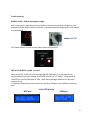
When you connect MCP combo panel to your computer at first, your computer will detect it
and will describe the process step by step.
Power Connection
Power supplying of MCP combo panel is done by universal power supply adaptor DC 5V
(Included in package) and/or USB port of your computer. Make sure that before trying to
operate MCP combo panel, you must confirm the USB connection first in order to prevent
malfunction.
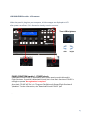
Before trying to operate, be sure that LCD displaying is shown.
Run “VRiSim”
When you confirm all setup processes done; “VRiSim” installation, “USB connection” and
“Power connection”, you are ready to operate MCP combo panel.
Download & install “FSUIPC”
Refer to “Download & install FSUIPC” at “Download” part of www.vrinsight.com
FS 9 requires FSUIPC v3.80 or later. FSX requires FSUIPC v 4.26 or later.
6