1
40857_02 3/22/2007 14:31:14 Page 63
Conducting an Investigation
63
2
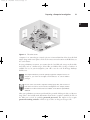
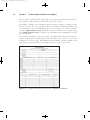
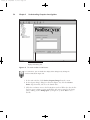
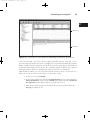
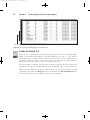
Figure 2-16
A ProDiscover report
If the report needs to be saved to a data file, you use ProDiscover Basic’s Export feature and
choose RTF or plaintext for the file format. To export the report to a data file, do the
following:
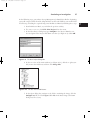
1. In the tree view, click Report.
2. Now click Action, Export from the menu.
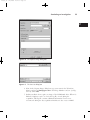
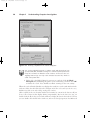
3. In the Export dialog box, click the RTF Format or Text Format option
button, type InChp02 in the File Name text box, and then click OK.
To place the report in a different folder, click the Browse button and navigate to
the folder where you want to save the report. Click Save, and then click OK in
the Export dialog box.
4. Review the report, and then click File, Exit from the menu to exit ProDiscover Basic.
This activity completes your analysis of the USB thumb drive. In the next section, you learn
how to complete the case. In later chapters, you learn how to apply more search and analysis
techniques.