1
Appendix 3 Error
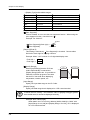
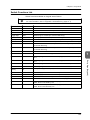
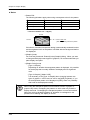
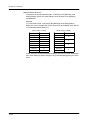
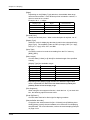
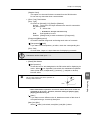
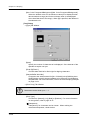
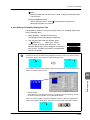
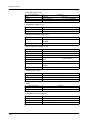
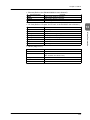
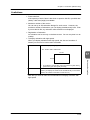
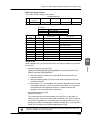
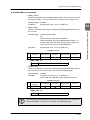
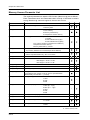
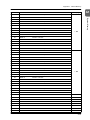
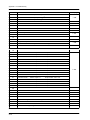
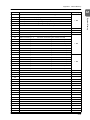
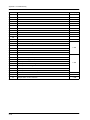
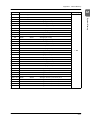
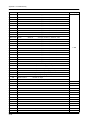
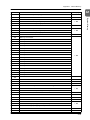
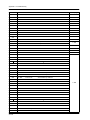
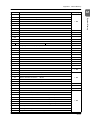
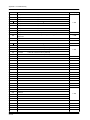
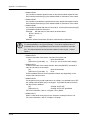
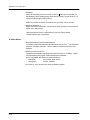
• Error numbers
Note:
Error numbers with “*” do not occur under the ordinary circumstance.
If any of these error is displayed, contact your local distributor.
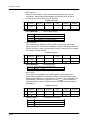
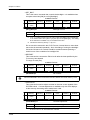
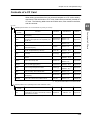
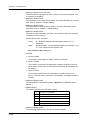
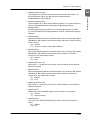
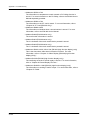
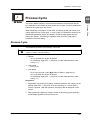
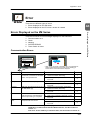
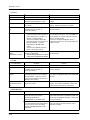
* ZM-42/43/52/62/72/82
ZM-300
∗
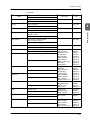
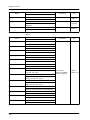
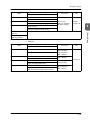
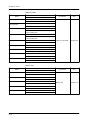
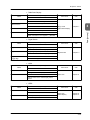
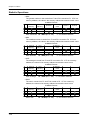
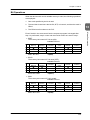
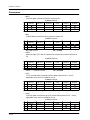
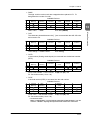
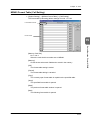
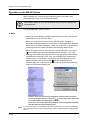
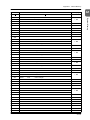
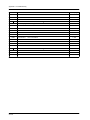
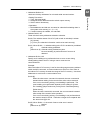
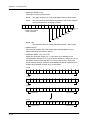
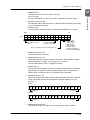
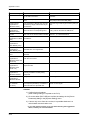
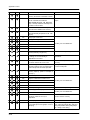
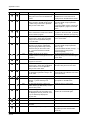
Error No.
Contents
Remedies
The screen data version does not
match the system program version of
ZM series.
Transfer the system program from the
ZM-71SE editor. If not solved, check
the ZM-71SE editor version and the
system program version and contact
your local distributor.
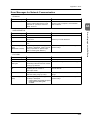
10
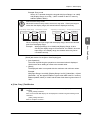
The I/F board and the communication
driver software do not match.
Check the driver and transfer again.
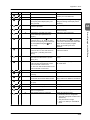
11
The PLC for data setting does not
match the I/F driver.
Check the PLC model and transfer the
I/F driver again.
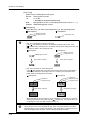
12
The version of the I/F driver does not
match the version of data.
Check the ZM-71SE editor version and
the I/F driver version and contact your
local distributor.
13
The version of the I/F driver does not
match the version of the ZM series.
Check the I/F driver version and the
system program version and contact
your local distributor.
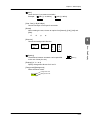
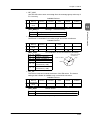
15
The display language of the ZM series
does not match the language used for
the created data.
Check the LCD control terminal model
and the language used for the created
data.
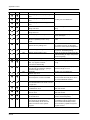
17
Unknown network I/O No.
The I/O number exceeds the possible
range of use.
Reset to a number that falls in the
possible range of use.
18
When connected to “1 : n,” the read
area, write area, and calendar memory
settings are all made in the internal
memory.
Set the read area and the calendar
memory on the PLC.
20
The maximum 32K-word capacity for
the buffering area has been exceeded.
(Internal buffer)
Correct the data size so that the
buffering area falls within the 32 k
words limit.
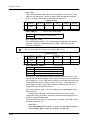
21
The maximum 128-word capacity for bit
sampling has been exceeded.
Reduce the total number of words for
bit sampling to less than 128 words.
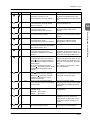
22
The buffer number specified in the
sampling mode has not been set.
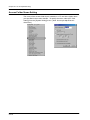
Set the buffer number in the [Buffering
Area Setting] dialog under [System
Setting].
23*
Memory card file No. error
Contact your local distributor.
24
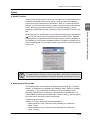
When [Store Target: SRAM/CF Card] is
selected in the [Buffering Area Setting],
the output file number can be set.
However, the set output file number
already exists. Or, [Type: Buffering
File] is not set in the [Memory Card
Setting] dialog though [Store Target:
SRAM/CF Card] is selected.
Check the output file number in the
[Buffering Area Setting] dialog, and set
correctly. Or, check the setting in the
[Memory Card Setting] dialog.
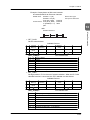
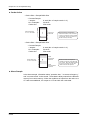
28
The modular function is set as the
same communication port as MJ1 and
MJ2.
Check the setting in the [Modular Jack]
dialog and set correctly.
30
31
The number of registered items is too
many.
Reduce the number of items.
A3-7
A3
Errors Displayed on the ZM Series
3