Download FG5 System Interface Module Operator`s Manual - Micro

Transcript
Micro-g LaCoste Tele-g Remote Operation User’s Manual
3 SOFTWARE – Tele-g
3.1 Introduction
The software portion of the system is actually composed of a few separate components.
• Tele-g which can be used locally or remotely to access the gravity meter
• g which is used to run the gravity meter and acquire data
• Third party software to facilitate remote connections to the gravity meter system
controller
Tele-g is designed to allow computer access to the hardware described in Section 2. The
Dropper Controller, Superspring Controller, and Leveling functions can all be operated
using Tele-g.
3.2 Starting Tele-g
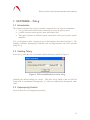
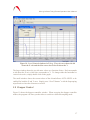
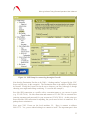
When Tele-g starts the user is presented with the dialog box shown in Figure 8
Figure 8. IOTech Initialization screen in Tele-g.
Normally the default settings are correct. This tells Tele-g which of the two IOTech
DAQ cards to communicate through (the “g” software communicates through the other
card).
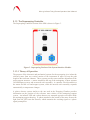
3.3 Superspring Control
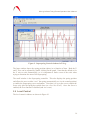
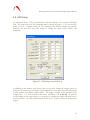
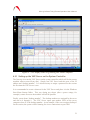
Figure 9 shows the two Superspring windows.
15