1
Micro-g LaCoste Tele-g Remote Operation User’s Manual
Table of Figures
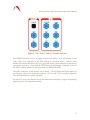
FIGURE 1. THE OUTPUT PORTION OF THE SIM. THIS PROVIDES AN OUTPUT OF THE ANALOG
FRINGE SIGNAL, AND CONNECTIONS TO AN (OPTIONAL) ML 1 LASER........................... 5
FIGURE 2. DROPPER CONTROLLER SECTION OF THE SYSTEM INTERFACE MODULE............ 6
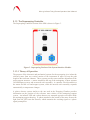
FIGURE 3. SUPERSPRING PORTION OF THE SYSTEM INTERFACE MODULE............................ 8
FIGURE 4. AUTO-LEVELING PORTION OF SYSTEM INTERFACE MODULE. .......................... 10
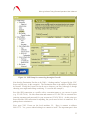
FIGURE 5. THE "TELE-G" AND "G" SOFTWARE INTERFACE................................................ 11
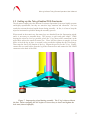
FIGURE 6. SUPERSPRING ON AUTO-LEVELING TRIPOD...................................................... 12
FIGURE 7. SUPERSPRING TRIPOD DURING ASSEMBLY. THE Y LEG IS SHOWN WITHOUT THE
FOOT. BEFORE SNAPPING THE FEET IN PLACE IT IS NECESSARY TO INSERT AND TIGHTEN
THE LOCK NUTS (SHOWN IN PURPLE). ......................................................................... 13
FIGURE 8. IOTECH INITIALIZATION SCREEN IN TELE-G. .................................................... 15
FIGURE 9. SUPERSPRING CONTROL WINDOWS IN TELE-G. ................................................. 16
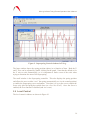
FIGURE 10. LEVEL CONTROL WINDOWS IN TELE-G. THE RED CURVE SHOWS THE TILT
ABOUT THE X AXIS AND THE BLUE CURVE SHOWS THE TILT ABOUT THE Y................. 17
FIGURE 11. DROPPER CONTROLLER WINDOW IN TELE-G................................................... 18
FIGURE 12. A2D SETUP SCREEN IN TELE-G....................................................................... 19
FIGURE 13. VNC DISPLAY WITH TELE-G RUNNING ON A REMOTE COMPUTER. .................. 21
FIGURE 14. SSH SETUP FOR CONNECTING THROUGH A FIREWALL. ................................... 23
FIGURE 15. VNC/SSH TUNNELING DIAGRAM. .................................................................. 24
3