1
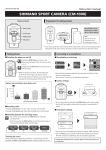
3. CHANGING SHOOTING MODES:
Pressing the “MODE” button allows the user
to toggle through the preset shooting modes
(see below for LED indicators).
Shooting modes can also be changed within
the Shimano Sport Camera App (IOS and
ANDROID). see 5
In the unlikely event the Shimano Sport Camera ‘freezes’ or becomes unresponsive hold both the
MODE and RECORD buttons for 10seconds to reset your camera.
4. CAPTURING/RECORDING:
With desired shooting mode selected simply
press the RECORD button - 2 beeps will sound
and left hand LED will flash red confiming
recording has started.
Press RECORD again to stop recording.
In photo mode press the Record button - a
camera “shutter” with sound and a still
photograph will be taken.
The above are available features of the
Shimano Sport Camera App (IOS and
ANDROID). see 5
The native format the Shimano Sports Cameras records footage in, is .MOV which is industry
standard and requires no conversion to be able to be edited or uploaded to Youtube etc
5. DOWNLOADING THE SHIMANO SPORT CAMERA APP:
The Shimano Sport Camera App is an intuitive and feature rich application that allows the user
to view, review, change camera setting, delete and save footage and photos on the go.