1
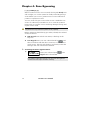
Chapter 8: Viewing Trouble
Conditions
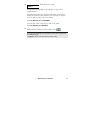
[*] [3] [1] [CODE] [#]
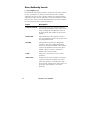
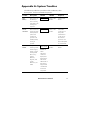
A rapid flashing of the Power LED indicates a trouble condition.
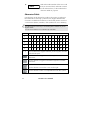
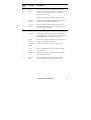
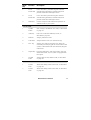
The following procedure describes how to identify the trouble
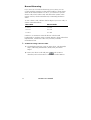
condition. Refer to the table on page 73 for a list of possible
trouble conditions and their descriptions.
The system must be disarmed to view trouble conditions.
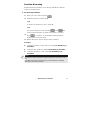
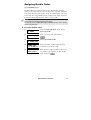
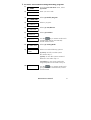
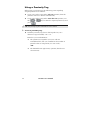
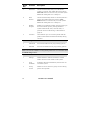
To view trouble conditions:
1)
2)
3)
4)
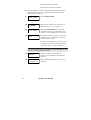
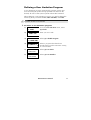
USER FUNCTIONS:
1) BYPASS
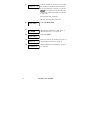
VIEW
1) TROUBLE
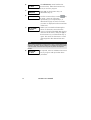
INSERT CODE:
TROUBLE
MAIN: LOW BATT
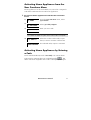
From the User Functions menu, select
[3] View.
Select [1] Trouble.
.
Enter your user code and press
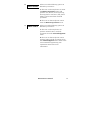
The first trouble condition is displayed.
If a (
) appears, other troubles exist.
Scroll down to view the next ones.
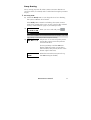
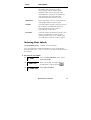
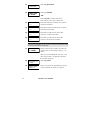
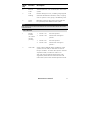
For an LED keypad, select the View/Trouble function by pressing
[3] [1] [USER CODE] [ENTER]. The Zone LEDs flash according to
the trouble(s).
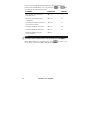
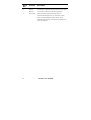
NOTE:
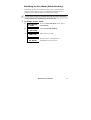
In some cases, you may be able to correct troubles and restore the system to
Normal Operation mode yourself. In other cases, your dealer (or other related
services) may be required. When all outstanding troubles are resolved, the
rapidly flashing Power LED on your keypad(s) lights steadily, and all evidence
of the troubles is automatically removed from your system.
48
ProSYS User’s Manual