1
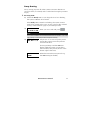
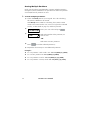
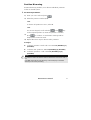
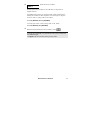
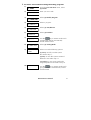
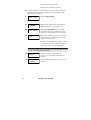
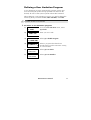
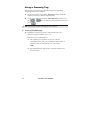
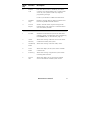
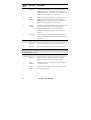
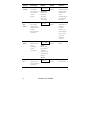
To define an automatic arming/disarming program:
1)
2)
3)
4)
5)
6)
7)
8)
9)
USER FUNCTIONS:
1) BYPASS
INSERT CODE:
SET CLOCKS:
1) SYSTEM TIME
SCHEDULER:
01)SCHEDULE 01
SCHEDULE 01:
01)ARM/DISARM
ARM/DISARM S:01
1)PARTITION
P:12345678 S:01
Y-------
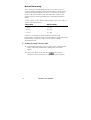
ARM/DISARM S:01
2) ARMING MODE
ARMING MODE:S:01
1)AWAY
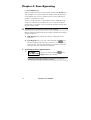
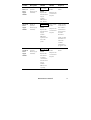
From the User Functions menu, select
[6] Clocks.
Enter your user code.
Select [5] Weekly Program.
Select a program.
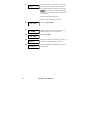
Select [1] Arm/Disarm.
Select [1] Partition.
key to enter Y under each
Use the
partition that will be automatically
armed and disarmed.
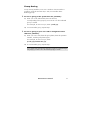
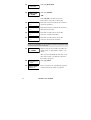
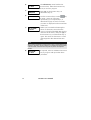
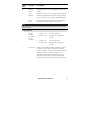
Select [2] Arming Mode.
Select one of the following options:
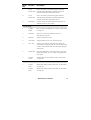
[1] Away: To fully arm the system.
Proceed to step 11.
[2] Stay: To arm the system’s external
detectors. Proceed to step 11.
[3] Group: To arm groups within the
assigned partitions. Proceed to step 10.
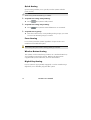
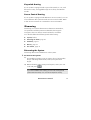
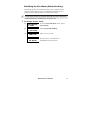
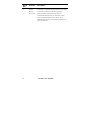
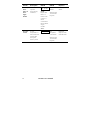
10)
GROUP=ABCD S:01
....
Use the
key to enter Y under each
group that will be automatically armed
and disarmed.
ProSYS User’s Manual
51