1
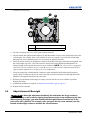
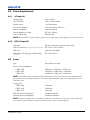
Field
Description
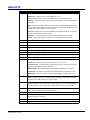
Lens Factor
The amount to stretch an image horizontally. Allowable values can
range from 0.00 to 7.99. Enter 1 if you are not using an anamorphic
lens.
Presentation
The size and location of the image. By default, the projector uses a
2048 x 1080 panel.
Cropping
Hides unwanted image data.
6. Tap Save.
7.4
Modify a Screen File
1. Tap Menu > Advanced Setup > Screen File Setup.
2. Select a screen file in the Current Screen File list.
3. Modify the screen file settings.
4. Tap Save.
7.5
Create a MCGD File
Create Measured Color Gamut Data (MCGD) files to correct on-screen colors. A colorimeter is required to
complete this procedure.
1. Turn the lamp on and allow it to operate for 20 minutes.
2. Tap Menu > Advanced Setup > MCGD File Setup.
3. Tap Save As.
4. Enter a name for the MCGD file in the Filename field and then tap OK.
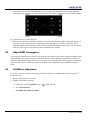
5. Tap the option button in the red area of the chromaticity image to display the red test pattern.
6. Measure the red chromaticity with the colorimeter.
7. Record the red chromaticity value.
8. Repeat steps 5 to 7 for the green, blue, white, and black chromaticity measurements. Select the test pattern
that matches the color you are measuring.
9. Enter the chromaticity measurements you recorded in step 7 in the red, green, blue, white, and black x and
y fields.
10. If the MCGD file will be associated with a 3D channel, tap Enable 3D and select a frame rate in the
Frame Rate N:M list.
11. Tap Save.
7.6
Modify a MCGD File
1. Tap Menu > Advanced Setup > MCGD File Setup.
2. Select a MCGD file in the Current Measured (MCGD) File list.
3. Modify the MCGD file settings.
4. Tap Save.
7-2
Solaria One User Manual
020-100841-02 Rev. 1 (11-2012)