1
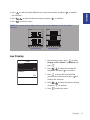
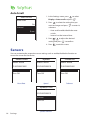
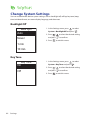
Auto Scroll
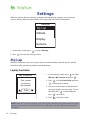
1. In the Settings menu, press
to select
Display > Auto scroll and press
.
Auto scroll
Auto scroll
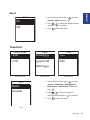
2. Press
to select the setting that you
want to change and press
to enter its
submenu.
On
Interval
• Auto scroll: enable/disable the auto
switch.
• Interval: set the interval time.
5 sec
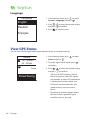
3. Press
/
to adjust the desired
setting and press
to confirm.
4. Press
to exit this menu.
Sensors
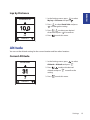
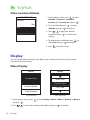
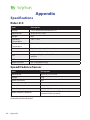
You can customize the respective sensor settings such as enable/disable the function or
rescan the sensor for the device.
Heart Rate
Speed
Status: active
Status: active
Status: active
ID XXXXXXXXX
ID XXXXXXXXX
ID XXXXXXXXX
Rescan
Rescan
Rescan
Turn Off
Turn Off
Turn Off
Heart Rate
Speed
Speed/CAD
Status: active
ID XXXXXXXXX
Rescan
Turn Off
Speed/Cadence
18
Cadence
Settings
Cadence