1
Using the RS1 Module with DriveExplorer™ Software
Uploading Editable Parameters
7–3
It is possible to upload editable parameters and their values (in
internal units) from the drive and store them in a file. There are three
upload options: upload all parameters, upload selected parameters,
and upload links.
1. If you want to upload selected parameters, you must select them
in the right pane of DriveExplorer.
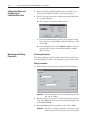
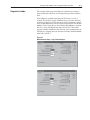
2. Select Actions -> Upload and Save to display the Save Parameters
dialog box.
3. Select All Parameters or Selected Parameters. Choose OK to
upload the parameters and display the Save As dialog box.
4. In the Save in box, navigate to where you want to save the
parameter file.
5. In the File Name box, type a name.
6. In the Save As type box, select DE Parameter Data Files (*.dep)
for parameters.
7. Choose Save to save the file.
Downloading Parameters
To transfer values saved in a parameters (*.dep) file to the drive, you
must download the file.
Important: Do not download a file uploaded from one drive (or device)
to a different drive or device.
1. To download the file – select Actions -> Download -> Archive File.
A prompt appears to warn you that setup values may change.
2. Select Yes to display the Open dialog box.
3. Select the desired file with a .dep extension.
4. Choose Open to download the values in the file.