1
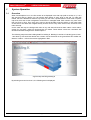
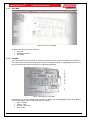
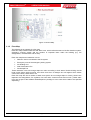
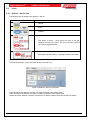
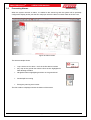
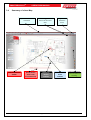
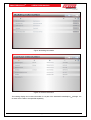
SMARTGRAPHICSHD 3.3 OPERATORS MANUAL Processing Alarms When the system receives an alarm, it is added to the events log and the system will be optionally configured to display and/or print the floor map upon which the alarm occurred. Refer to section 5.9.4. Figure 20 Alarm Screen The above example shows: Loop 1 device 9 is in alarm – and it is the first device in alarm Key map of the ground floor with the floor section highlighted in Red denoting the alarm Navigation buttons highlighting an alarm on the ground level Smoke Spill fan running Emergency warning zone in alert The first in alarm is displayed across the bottom of the screen. Page 16