1
Probox user manual
Contents
1
Welcome.................................................................................................................................................... 4
2
Important................................................................................................................................................... 6
3
Compatibility to DAW software .................................................................................................................. 7
4
Hardware Installation ................................................................................................................................. 8
5
6
7
4.1
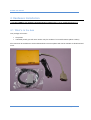
What’s in the box ............................................................................................................................... 8
4.2
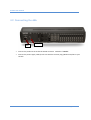
Connecting the d8b ............................................................................................................................ 9
4.3
Connecting the audio to the d8b (Monitor controller) ...................................................................... 10
Installation Drivers ................................................................................................................................... 11
5.1
Windows XP 32 bit ........................................................................................................................... 11
5.2
Windows 7 64 bit.............................................................................................................................. 11
5.3
Windows 8 64 bit.............................................................................................................................. 13
5.4
MacOS.............................................................................................................................................. 13
5.5
Linux ................................................................................................................................................ 13
Installation DAW ...................................................................................................................................... 14
6.1
Setting up Cubase for your ProBox ................................................................................................... 15
6.2
Setting up for Reaper 4 ..................................................................................................................... 20
6.3
Setting up for Protools...................................................................................................................... 23
6.4
Setting up for PresonusStudio One ................................................................................................... 24
6.5
Setting up for Logic ........................................................................................................................... 26
6.6
Setting up for Sonar Professional (for two proboxes) ........................................................................ 31
Description............................................................................................................................................... 38
7.1
Startup ............................................................................................................................................. 38
7.2
Configure your Probox ...................................................................................................................... 39
7.3
MCU and XT emulation ..................................................................................................................... 44
7.3.1
Special Probox Buttons to access MCU and two XTs .................................................................. 44
7.3.2
Button Map d8b MCU/XT.......................................................................................................... 45
Page 2 of 61