1
parts unfixed from the packaging, as well as a possible cleaning
of the device and its components.
Caution:
of 5 kg!
Never
exceed
the
allowed
maximum
weight
2: Description of the device
Included in the delivery are a set of batteries (4 x 1.5 V AAA) and a printed
user manual. A power supply unit can be ordered optionally.
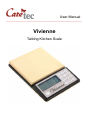
Put Vivienne on its 6 rubber feet, so that the slightly sloped part with the
palpable buttons and the big display is facing towards you.
Front Side
The operating elements and the display should face towards you. You can
now feel the following buttons: near the left corner there is a round button
with a tactile dot: the ON/OFF key. To the right of the ON/OFF key is a
group consisting of 12 keys. These keys are arranged in 4 rows with 3 keys
each and will be described (from top to bottom) as follows:
First Row
In the following manual the three keys of the first row will be called – from
left to right – key 1, key 2 and key 3. Key 1 will start the adding weight
function, key 2 is needed to operate the reference measurement and key 3
is the function key for the target weighing process.
Second Row
The keys of the second row will be referred to as key 4, key 5 and key 6
(from left to right). Press key 4 to recall the current time. To recall the
current date, press key 6. Key 5, which is also accentuated with a tactile
dot, is the menu key. To enter the menu, press and hold key 5. To leave the
menu, simultaneously press key 4 and 6.
Third Row
The keys of the third row are called key 7, key 8 and key 9 (from left to
right). You will need key 7 to activate the timer and key 8 to switch between
the different measuring units. Key 9 will activate the scale counter.
Forth Row
The left key (or minus-key) and the right key (or plus-key) of this row will set
the volume. Press the right key to increas and the left one to decrease the
4