1
M
Multi-rotors Flight Controller Assembly Section
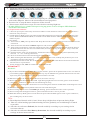
2) When“
”shows on the bottom right corner, it indicates flight controller has
successfully connected to the PC; if it shows“
”, please re-check the
connections, power supply,USB module drive and the antivirus program in the PC.
DO NOT disconnect the connection during setup.
3) Click “
” to finish parameters setup, and set more functions in the “
“,
page. Once a parameter has been changed, you should press the “ENTER” key to
send data to flight controller. When all the parameters have been modified,
click “
” to save these modifications. When “
” shows on the
bottom left corner, setup procedure finishes. Otherwise, flight controller cannot
save these parameters.
4) Once the flight controller and assistant software havebeensuccessfully connected,
motors cannot turn on. Disconnect them and power cycle the flight controller to turn
on motors.
Recommended Gains
Aircraft
Model
Basic Gains
Attitude Gains
Pitch
Roll
Pan
Vertical
X330
20
20
50
25
Tarot FY450
30
30
60
Tarot X4
60
60
Tarot X6
60
Tarot X8
Pitch
Roll
Vertical
20
20
50
30
20
20
50
80
30
15
15
50
60
80
30
15
15
50
50
50
100
30
15
15
50
Tarot T810
60
60
80
30
15
15
50
Tarot T960
60
60
80
30
15
15
50
7