1
www.JJ-CCR.com
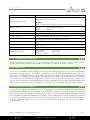
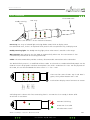
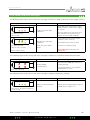
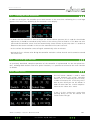
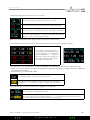
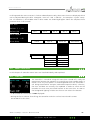
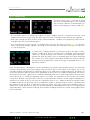
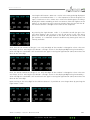
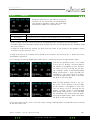
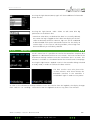
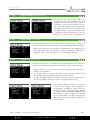
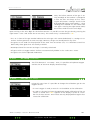
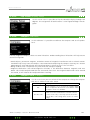
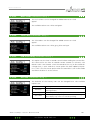
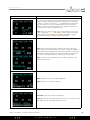
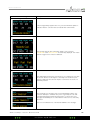
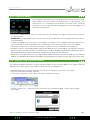
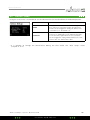
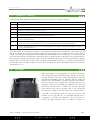
Pressing the left button ”Next Gas” results in the next gas being displayed.
The gases are numbered from 1 – 5. The sequence in which the gases are
input is irrelevant. In the ”Select Gas” menu all available gases are always
displayed in order according to their O2 content (from the highest to the
lowest). If two gases have the same O2 content then the gas with the lower helium content is brought to the front of the sequence.
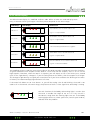
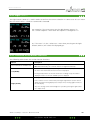
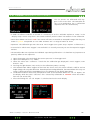
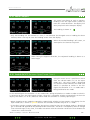
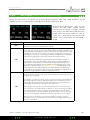
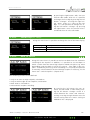
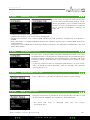
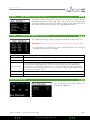
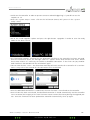
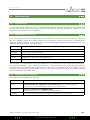
By pressing the right button ”Edit” it is possible to edit the gas. First
you select wether a gas is active (= On) or not active (= Off). The active
gases are used for the projection of the total Time To Surface (TTS) and
gas switches. It is therefore essential to define only those gases that are
actually available.
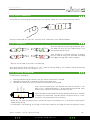
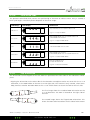
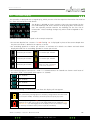
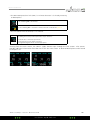
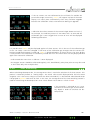
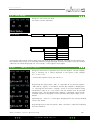
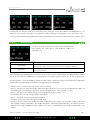
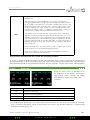
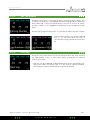
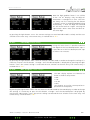
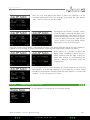
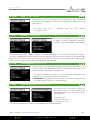
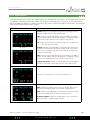
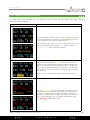
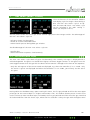
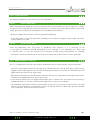
After that the O2 content of the gas is set. Only one digit of the number is changed at a time. The ten’s
are always set first. Pressing the left button ”Change” results in the displayed digit being increased by 1.
After the digit has reached 9 it will revert back to 0 again. Pressing the right button (Next) once takes the
diver to the units digit.
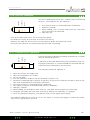
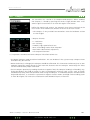
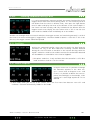
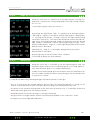
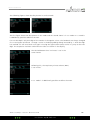
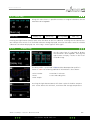
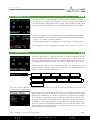
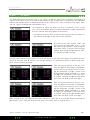
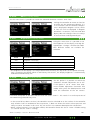
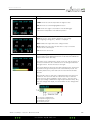
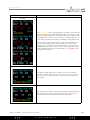
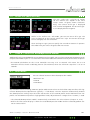
Next, the helium content of the gas is set. Only one digit of the number is changed at a time. The ten’s
are always set first. Pressing the left button ”Change” results in the displayed digit being increased by 1.
After the digit has reached 9 it will revert back to 0 again. Pressing the right button (Next) once takes the
diver to the units digit.
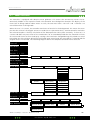
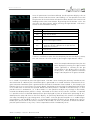
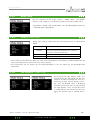
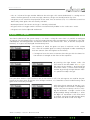
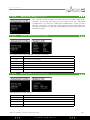
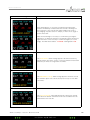
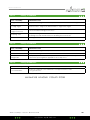
Upon arriving at the units digit for the helium content it is possible to save the gas data by pressing the
right button ”Save”.
2014 JJ-CCR ApS – Version 2.00 / Revision 04
JJ- CCR ApS 2014
54