1
1.2 Software Installation
The following are steps for the software installation.
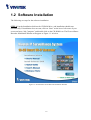
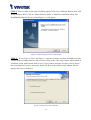
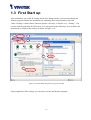
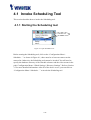
STEP 1: Put the Installation disk into the CD-ROM drive, and installation should start
automatically. If installation does not start, click on “Start” on the lower left corner of your
screen and open “My Computer” and double click on the CD-ROM icon. The IP surveillance
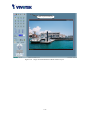
Recorder Installation Window will appear as Figure 1-1 in below.
Figure 1-1 ST3402 Smart VS-IP Recorder Installation Window
1-4