1
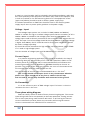
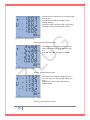
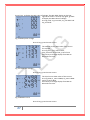
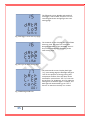
The eighth screen: CT secondary rating
current CT_S setting page. CT_S value is 1A or
5A. The unit is Amp. As in fig 3.39, CT_S=5A,
press P, E to change the value. Press V key for
acknowledgment and going to the next
setting page.
Fig 3.39 CT secondary setting page
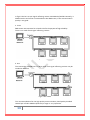
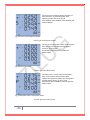
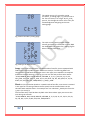
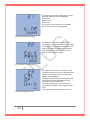
The ninth screen: Setting speed of data
transfer and type of created file on stick, ZMP
has three different options for creating log file
when inserting flash stick.
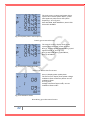
Fig 3.40 Type of data transfer
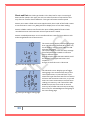
Long: in this type below header is created inside of text file, items separated with
TAB to easy open by EXEL or other software to analyze. Transferring data from
internal flash to USB stick take longer time in this type, but created file is complete
and when the flash writing is ongoing you can use unit and perform other works.
"YEAR, MONTH, DAY, HOUR, MINUTE, SECOND, I1, I2, I3, I_AVG, IN, V1, V2, V3,
VPH_AVG, V12, V23, V31, VL_AVG, P1, P2, P3, PTOT, Q1, Q2, Q3, QTOT, S1, S2, S3,
STOT, PF1, PF2, PF3, PFT, FREQUENCY, U_UNB, I_UNB”.
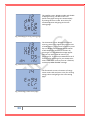
Short: In this type below header is created inside of text file, some items is omitted
in this type for increasing of data transfer speed, but the omitted items can be
calculate with available items. For example user can calculate I_AVG by this formula:
I_AVG = (I1+I2+I3)/3,
This formula easily could be done by EXEL. Also like as above type you can use the
unit during the transfer.
"YEAR, MONTH, DAY, HOUR, MINUTE, SECOND, I1, I2, I3, IN, V1, V2, V3, P1, P2, P3,
Q1, Q2, Q3, S1, S2, S3,PF1, PF2, PF3, FREQUENCY".
32