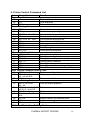
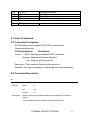
1
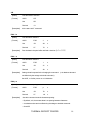
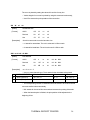
HT
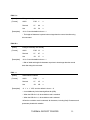
[Name]
Execute horizontal tab position
[Format]
ASCII
HT
Decimal
9
Hex
09
[Description] ·Moves the print position to the next horizontal tab position set by the ESC D.
·If the horizontal tab positions have be cleared or the current position is on or
exceeds the last horizontal tab position, command VT is ignored.
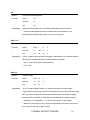
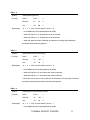
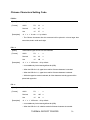
ESC f m n
[Name]
Print a space or a blank line
[Format]
ASCII
ESC f
m
n
Decimal
27
102
m
n
Hex
1B
66
m
n
[Description] ·If m=0, n spaces will be printed. Each space is calculated as 12+ character spacing.
The value of n should be less than the max numbers of characters.
·If m=1, n lines will be printed. (24dots per line)
·0≤n≤255
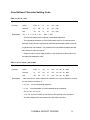
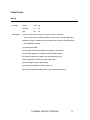
ESC Q n
[Name]
Set right margin
[Format]
ASCII
ESC Q
n
Decimal
27
81
n
Hex
1B
51
n
[Description] ·0≤n≤32 and the default is that n = 0, which means there is no right margin.
·Right margin means that the number of characters that won’t be printed on the right
side. The value is an absolute one and won’t be affected by the characters enlarging
command ESC U and ESC W. Each space is calculated as 12+ character spacing.
·After power on or initialization, n = 0, which means there is no right margin.
·When this command is used, printer will automatically add enter command as
soon as arrives the right margin position.
THERMAL RECEIPT PRINTER
20