1
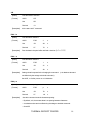
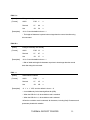
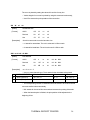
GS H n
[Name]
Select/Cancel HRI character print
[Format]
ASCII
GS
H
n
Decimal
29
72
n
Hex
1D
48
n
[Description] ·0 ≤ n ≤ 255 and n = 0 by default.
·n is available only for the least significant bit (LSB).
·When the LSB of n is 0, HRI characters won’t be printed.
·When the LSB of n is 1, HRI characters will be printed under the barcode.
Print position of HRI
Not to print
Print under the barcode
n(LSB)
0
1
·HRI characters are remarks of barcode.
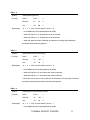
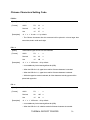
GS h n
[Name]
Set barcode height
[Format]
ASCII
GS
h
n
Decimal
29
104
n
Hex
1D
68
n
[Description] ·0 ≤ n ≤ 255 and n = 90 by default.
·Use this command to set height of the barcode to n×0.125mm.
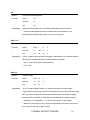
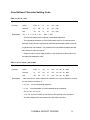
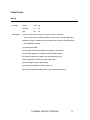
GS w n
[Name]
Set barcode width
[Format]
ASCII
GS
w
n
Decimal
29
119
n
Hex
1D
77
n
[Description] ·0 ≤ n ≤ 4 and n = 3 by default.
·Use this command to set width of the barcode.
·Specify the width of barcode module by n as follows:
n
Narrow module (mm)
Broad module (mm)
1
2
3
4
0.125
0.25
0.375
0.5
0.375
0.625
0.875
1.125
THERMAL RECEIPT PRINTER
29