1
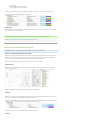
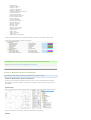
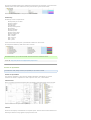
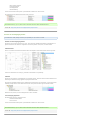
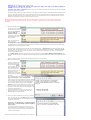
Units do not export over
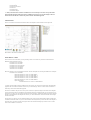
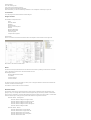
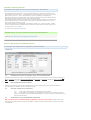
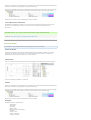
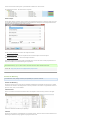
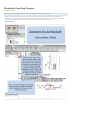
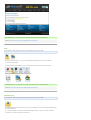
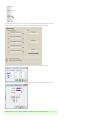
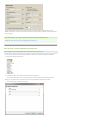
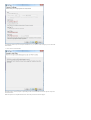
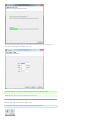
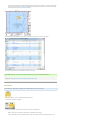
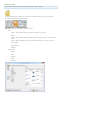
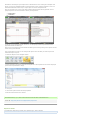
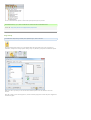
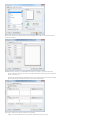
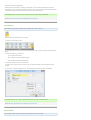
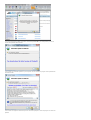
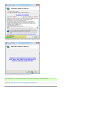
Interface
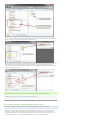
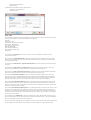
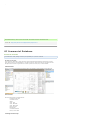
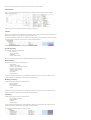
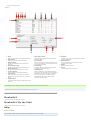
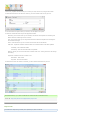
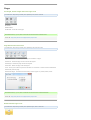
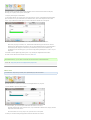
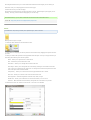
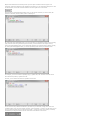
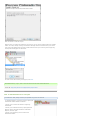
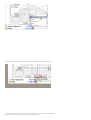
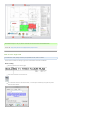
A. Name
Name of the property to be exported to Excel
B. Add Column
Add a new property to Excel Summary
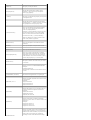
C. Delete Column
Deletes the selected property form Excel
Summary
D. Move Column Down
Moves the selected property down in order
E. Move Column Up
Moves the selected property up in order
F. Accept Changes
Saves changes of the selected property
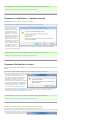
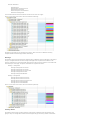
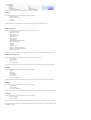
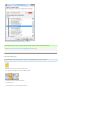
G. Type Column
Text- Exports the property as text to Excel
Number- Exports the property as a number to
Excel
H. Visible Column
Any Property with visible checked will be sent
to Excel
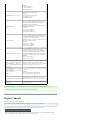
I. Show Units column
When checked, units of the property will be
exported to Excel
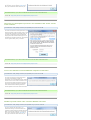
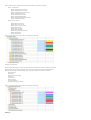
J. Total Column
When Summarize By value is not blank or set
to none, any property with totaling check will
be grouped and totaled
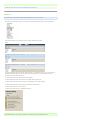
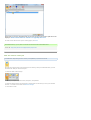
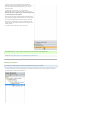
K. Parts Group
Any Item checked in the Parts group will be
included in the export to excel
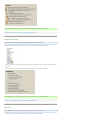
L. Summarize By
When not left blank, all properties that have
the type of text will show in the summarize by
dropdown box. when a property is selected.
any items that match the summarized by
selected item will be grouped and select
properties will be totaled
Posted Mike Ramsey - May 30, 2011 at 11:45 PM. This article has been viewed 83 times.
Online URL: http://www.planswift.com/phpkb/article.php?id=1781
PlanSwift 8
There are no articles under this category.
PlanSwift 9 ’By the Tabs’
There are no articles under this category.
Help
Refer A Friend
Article Number: 1645 | Rating: Unrated | Last Updated: Jul 15, 2010 at 3:28 PM
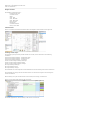
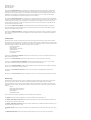
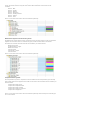
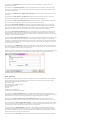
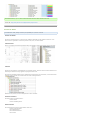
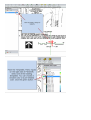
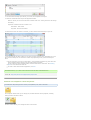
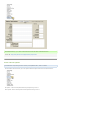
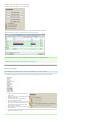
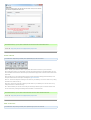
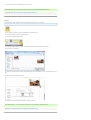
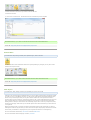
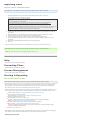
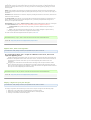
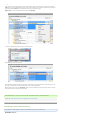
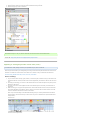
M. Template
Currently there are not any templates included
with Excel Summary
N. Included Items
Any item checked in included items will be
included in the export.
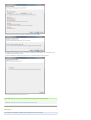
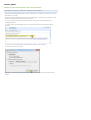
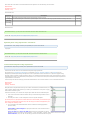
O. Export
Starts the export process
P. Cancel
Cancels the Excel Summary tool