1
The ESO SkyCat Tool - Issue 2.2
VLT-MAN-ESO-19400-1552
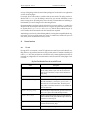
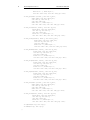
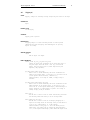
Hide Graphics
Toggle the visibility of the image line graphics
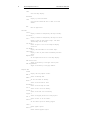
Data-Servers
Catalogs =>
Select a catalog from the menu.
Image Servers =>
Select an image server from the menu.
Archives =>
Select an archive from the menu.
Local Catalogs =>
Select a local catalog from the menu.
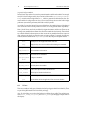
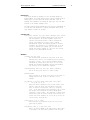
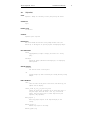
Real-time menu (displayed when -rtd 1 is specified)
Attach Camera
Attach the real-time camera - start receiving images.
Detach Camera
Detach the real-time camera - stop receiving images.
Set Camera...
Set the real-time camera name.
Rapid Frame
Create a rapid frame by interactively drawing a
rectangle on the image.
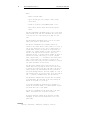
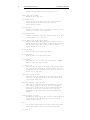
Help menu
About Skycat...
Display a window with information about this Skycat
version.
Help...
Display information about Skycat in netscape (if
netscape is available).
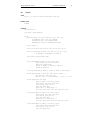
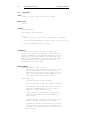
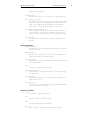
ENVIRONMENT VARIABLES
$SKYCAT_CONFIG
If set, this is used as the URL to access the skycat
configuration file, which contains the list of available
catalogs and how to query them. By default, the configuration
file is also searched for in $HOME/.skycat/skycat.cfg, and if
that is not found, in the ESO default URL:
http://archive.eso.org/skycat/skycat2.0.cfg.
$SKYCAT_PLUGIN
If set, this variable should be a colon separated list of
files or directories containing skycat plugins. A skycat
plugin is a Tcl script that defines a Tcl proc to be called
for each instance of the main window. The script is sourced
before any windows are created and can also load shared
libraries dynamically to add new features. See the Skycat
User's Guide (ftp://ftp.archive.eso.org/pub/skycat/docs) for
more information.
FILES
http://archive.eso.org/skycat/skycat2.0.cfg - default
configuration file.
SEE ALSO
31