1
System & Service Specifications
System Status Icons
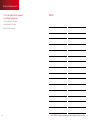
The table below details the features that are included with your XFINITY™ Home
package. Remember, to order any of the add-on features or to upgrade your service,
simply call 1-800-XFINITY.
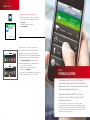
The various user interfaces include the following icons that provide an at-a-glance
overview of the status of your system. The Security Status of your security system is
displayed in the large Security Status header.
Core ServicesBasic
PreferredPremier
24/7 Monitoring
YES
YES
YES
Wireless Backup (Central
Station Monitoring)
YES
YES
YES
Web Portal Access
Glanceable Status
& Arm/Disarm
Complete
Access
Complete
Access
Fire Monitoring*
NO
YES
YES
Email and Text Alerts
NO
YES
YES
Full Touch Screen
Controller Access
NO
YES
YES
Home Automation (Lights
and Thermostat)*
NO
YES
YES
Basic
PreferredPremier
Wireless Keypad
YES
YES
YES
Motion Detector
YES
YES
YES
Door/Window Sensors
YES (2)
YES (3)
YES (3)
Touch Screen Controller
YES
YES
YES
Keychain Remote
NO
NO
NO
Indoor/Outdoor Cameras
NO
AVAILABLE*
YES (2)
Lighting/Appliance
Controllers
NO
AVAILABLE*
YES (2)
Thermostat
NO
AVAILABLE*
YES (1)
Preferred
Premier
Equipment
Add-On FeaturesBasic
Video Monitoring*
NOT AVAILABLE
AVAILABLE*
YES
Warranty
AVAILABLE
AVAILABLE
YES
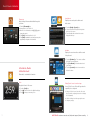
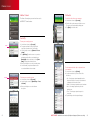
This is the Security Status header when the
status is “Armed.”
This is the Security Status header when the
status is “Disarmed.”
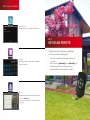
When you arm the system, an exit delay
period begins. The Security Status header
indicates the number of seconds before the
system is armed.
You must exit the premises and secure the
entry/exit door before the exit delay period ends.
When someone enters an armed premises, an
entry delay period starts (generally around
30 seconds long).
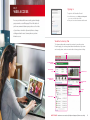
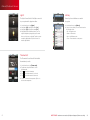
System & Zone Trouble Header
The System & Zone Trouble header displays in the upper right of the Subscriber Portal
and Touch Screen Controller. It only displays when there is a connectivity or power
problem with the Touch Screen Controller (cellular, broadband, etc.). It also displays
when a sensor is inoperable (such as due to a battery failure) or is being tampered with.
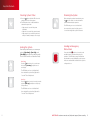
No Cell Signal
No Connectivity
No Wi-Fi Signal
Power Failure
Critical Sensor Failure
Multiple Troubles
When a System & Zone Trouble header is displayed, click it to display more information.
*Requires equipment purchase.
1
questions? customer.comcast.com/help-and-support/home-security
2