1
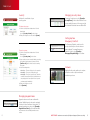
Keychain Remote
Checking System Status
Disarming the System
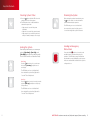
1.Press the
button to light the LED to show the
current status of the security system.
2.The LED flashes red once to indicate that it has
contacted the system, then:
— Lights green for 3 seconds if the system
is disarmed.
— Lights red for 3 seconds if the system is armed.
— Lights orange for 3 seconds if the system is not
ready to be armed (for example, a door is open).
Before entering the premises in armed state, press
the
button for about 2 seconds to disarm the
system without entering the premises.
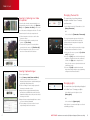
Arming the System
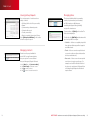
Sending an Emergency
Police Alarm
From the Keychain Remote, you can arm your
system in [Arm Away] or [Arm Stay] mode
([Arm Night] mode must be activated from the
Touch Screen Controller or Subscriber Portal).
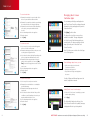
Arm Away
Press the
button for about 2 seconds to arm
the system in [Arm Away] mode (the home is
unoccupied).
he LED flashes green once to indicate that it
T
has contacted the system, then lights green for
1 second indicating that the system is disarmed.
Press and hold the
button for 3 seconds to send
an audible alarm to central monitoring for police
assistance. The LED flashes orange to indicate that
the alarm has been sent. Additionally, contact persons
will receive email and SMS notifications if the system is
configured to do so.
The LED flashes red once to indicate that it
has contacted the system, then lights red for
1 second. The exit delay starts.
Arm Stay
Press the
button for about 2 seconds to arm the
system in [Arm Stay] mode (there are still people
on the premises).
The LED flashes red once to indicate that it
has contacted the system, then lights red for
1 second. The exit delay starts.
11
questions? customer.comcast.com/help-and-support/home-security
12