1
Alphanumeric Pager User Manual
When reading message, if no Key is pressed within 12 seconds, the pager will return to
sleep state. At this sleep state, only a small symbol will show at upper left corner of screen.
5 Function Setting
Key A: Enter to function setting / Increase the digit
Key B: Move cursor
Key C: Quit setting and confirm
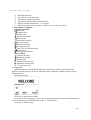
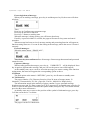
Functions setting in sequence as below(press key A to enter, press key B to switch):
A:
Setting alert audio
B:
Turn off the pager
C:
Setting time
D:
Setting alarm
E:
Setting moving speed
F:
Setting contrast
G:
Locking message
H:
Deleting message
I:
Deleting all message
J:
Return to standby state
If no Key is pressed within 12 seconds, the pager will return to standby state, or press Key
C to return to standby state.
6 Setting Alert
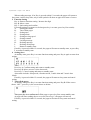
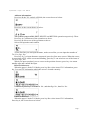
At standby state, press Key A to enter function setting and press Key A again to enter alert
setting:
Then
Press key A: Confirm setting and return to standby state.
Press key B: Move cursor to select alert mode.
Press key C: Cancel setting and return to standby state.
Alert mode includes: Sleep mode, vibration mode, 3-audio alert and 7-music alert
Mode.
If no Key is pressed within 12 seconds, the pager will return to sleep state and cancel
setting.
7 Turn off the pager
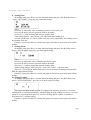
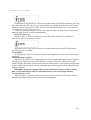
At standby state, press Key A to enter function setting and press Key B till the screen
shows “OFF”, press key A, the screen shows as below:
Then press key A to confirm turn off the pager or press key B to return standby state.
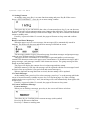
At pager off state, nothing shows on screen, Press key C, the pager will turn on.
If no Key is pressed within 12 seconds, the pager will return to sleep state and cancel
setting.
Page 3