1
Userguide_RevA_4.fm Page 11 Friday, January 18, 2002 11:07 AM
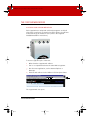
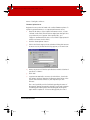
SAVING COPIES TO YOUR HARD DISK
Copies that you save to your computer’s hard disk can later be
printed, used in documents, sent in e-mail, or edited.
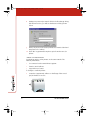
To save a copy to your computer’s hard disk:
1
Click a thumbnail to see the full-size image.
2
Choose “Save As” from the File menu.
3
Browse to the desired location on the hard disk and give the
image a unique name.
4
Click “Save.”
PRINTING FROM THE WEB
You can print one or more copies from the CopyCam web application
at any time.
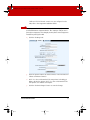
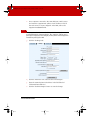
To print a copy from the web application with your default printer:
1
Click on a thumbnail to view the full-size image.
2
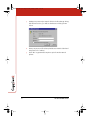
Choose “Print” from the File menu.
3
Select the number of copies to print.
4
Click “OK.”
THE COPYCAM WEB SERVER
11