1
Table of Contents
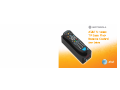
Congratulations on your purchase of the AT&T U-verse TV Easy Find Remote Control.
This remote is one of the most capable and easy to use remote controls available
today. It can control up to four devices.
It has many unique features, for example, the remote comes with a Base Station that
recharges the remote so you never have to buy or install batteries. Also, the Base
Station has a Find feature that lets you quickly find the remote in case you’ve misplaced
it. With the touch of a single button on the Base Station the remote will sound and
flash to make it easy to find your misplaced remote control. More features for this
unique remote are described in the remainder of this manual.
NOTE:
The remote control will only control the device that is selected by the appropriate
mode key (AT&T, TV, DVD, and AUX). The mode key light for the selected device
flashes each time a valid key is pressed.
2
Quick Setup Guide ................................................................................................................ 4
Advanced Features Setup .................................................................................................... 9
Controlling Other Devices .............................................................................................. 9
Programming the Remote .............................................................................................. 9
Learning ........................................................................................................................ 12
Clearing Commands .................................................................................................... 14
Volume Control Setup Options ..................................................................................... 15
Channel Control Setup Options ................................................................................... 18
Mode Deactivation ........................................................................................................ 20
Multiple Device Power Control Setup Options ............................................................. 21
Backlight Cancellation .................................................................................................. 22
Resetting the Remote Control ..................................................................................... 22
Finding More Than One Remote .................................................................................. 23
Troubleshooting Learning .................................................................................................. 25
3