1
Quick Setup Guide
Quick Setup Guide
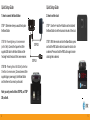
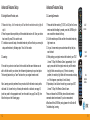
3. How to charge the remote control
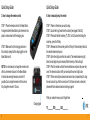
4. How to manually setup the remote
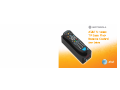
STEP 1. Place the remote control in the Base Station.
A magnet inside the Base Station pulls the remote into
place to make contact with the charging pins.
STEP 1. Power on the device you want to setup.
STEP 2. Locate the 4-digit code from the code list (see pages 29 and 30).
STEP 3. Press and hold the mode key (TV, DVD, or AUX) and while holding the
mode key, press the OK key.
STEP 4. Release both the mode key and the OK key. All the mode keys flash but
the selected mode key stays on.
STEP 5. Enter the 4-digit code from the code list. The selected mode key light
blinks for each digit entry and remains off after the entry of the fourth digit.
STEP 6. Point the remote control at the selected device and press the power key
once. The device should turn off if you have found the correct 4-digit code.
STEP 7. If there are multiple codes and one does not work, repeat steps 2-6 using
the next code until you find the correct one. If it still does not work as intended,
please refer to the advanced section starting on page 9.
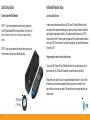
STEP 2. Make sure that the charging points are in
full contact by seeing that the charging lights on the
Base Station are lit.
NOTE: It is not necessary to charge the remote control
often, but remember to place it in the Base Station
for at least two overnight sessions per month if
possible. Quick charge the remote in 30 minutes or
fully charge the remote in 12 hours.
Write your codes here so you don’t forget them.
Charging lights
6
TV________ DVD________ AUX________
7