1
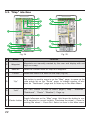
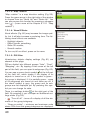
5.2. “Map” interface
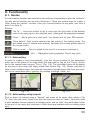
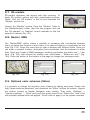
Fig. 24
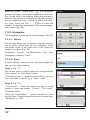
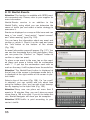
Fig. 25
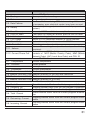
#
Name
Function
22
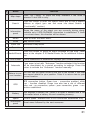
Waypoint
Waypoints are manually created by the user and display with red
flags on a map.
23
“Save WP”
Saves the current mark on map as a waypoint.
24
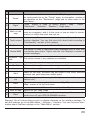
“Cursor”
Shows the menu of a mark on the map (Fig.54)
25
“Up”
This button is used to zoom in on the "Map" page, to move up the
route points list on the "Route" page, to change number of windows on "Dashboard" page and to move up in the Main Menu.
26
“Left”
The "Left" button is used to switch pages ("Map", "Satellites",
"Dashboard", "Route", “Weather”). Page up.
Toggle fullscreen on the “Map” page. Hold down the botton to cre27 Center button ate a waypoint in current location. Clockwise the wheel — Zoom In,
backing the wheel — Zoom Out. Select an item in the Main menu.
22