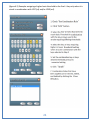
1
See Section 5 for Bluetooth connectivity
Section 4: LightSpeed Key Sensitivity Adjustments
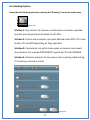
Basic Threshold Theory of Operation
LightSpeed sensors are capable of sensing the slightest pressure. It is necessary to set a
pressure threshold (numerical value) that establishes the point at which pressure upon a
key is sufficient to generate a steno letter within a stroke.
Having the right Combination of pressure threshold settings is critical to using the
LightSpeed to its fullest potential.
Setting a higher numerical value will increase the amount of pressure required to generate
the steno letter. Lowering the number decreases the amount of pressure required to
generate a steno letter.
Reporters with a light touch should start with thresholds at 250 to 300 for consonants and
100 to 120 for vowel key sensors.
Reporters with a heavier touch should start with consonant key thresholds set to the 400 to
500 range. Vowels keys should be set at the 100 to 120 range.
These are recommended threshold starting points and should be adjusted to the reporter’s
personal preference at some point.
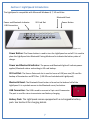
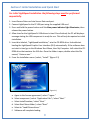
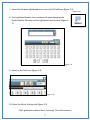
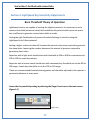
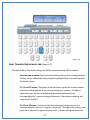
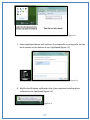
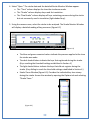
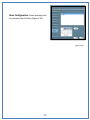
Access the Key sensitivity setting by selecting the Finger Press icon on the main screen.
(figure 4-1)
(figure 4-1)
19