1
TABLE
OF
CONTENTS
1. Introduction
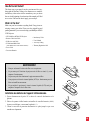
Introduction To The MultiSync MT600 LCD Projector ...................................................... 13
How Do You Get Started? ................................................................................................... 13
What’s In The Box? ............................................................................................................ 15
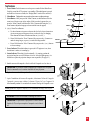
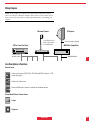
Getting To Know Your MultiSync MT600 LCD Projector .................................................. 16
Front Features ............................................................................................................... 16
Rear Features ................................................................................................................ 16
Top Features .................................................................................................................. 17
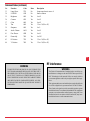
Terminal Panel Features ................................................................................................ 18
Remote Control Features ............................................................................................... 20
2. Installation
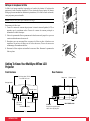
Setting Up Your MultiSync MT600 LCD Projector ............................................................ 23
Selecting A Location ..................................................................................................... 23
Using A Tabletop Or Cart .............................................................................................. 24
Ceiling Installation ........................................................................................................ 25
Reflecting The Image .................................................................................................... 26
Rear Screen Projection .................................................................................................. 26
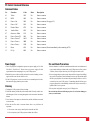
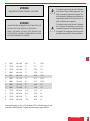
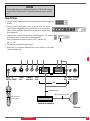
Wiring Diagram ............................................................................................................ 27-28
Connecting Your PC Or Macintosh Computer .................................................................... 29
Connecting Your Document Camera ................................................................................... 30
Connecting Your VCR Or Laser Disc Player ....................................................................... 31
Connecting An External Monitor ........................................................................................ 31
Connecting Your IR Receiver .............................................................................................. 32
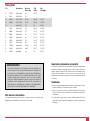
Problem
Check These Items
Image is scrolling
vertically,
horizontally or both
Use icons to select the source you
want to input.
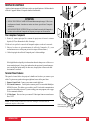
Remote control
does not work
Install new batteries. (See page 44.)
Make sure there are no obstacles between
you and the projector.
Make sure you are within 23 feet (7m)
of the projector.
Status indicator is lit
or blinking
See the Status Light message charton page 49.
Cross color in
RGB mode
If “Auto Picture” is off, turn it on. If “Auto
Picture” is on, turn it off and balance the image
with the Picture Adjustment icon and Fine
Picture Adjustment icon.
11
To Contact Your NEC Service Representative, Call 1-800-836-0655
TROUBLESHOOTING
52