1
VisionHDP™ User Manual and Installer Guide
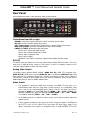
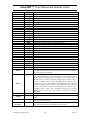
Color and Hue............................................................................................................................................... 19
Chroma-Upsample-Error Correction...................................................................................................... 20
Color-Temperature and Gamma Calibration ...................................................................................... 20
Input Sizing ................................................................................................................................................... 20
Mask................................................................................................................................................................. 20
Non-linear Stretch....................................................................................................................................... 20
Pass-Through mode ................................................................................................................................... 21
Y/C Delay....................................................................................................................................................... 22
Sharpness....................................................................................................................................................... 22
Input Level..................................................................................................................................................... 22
Input Name ................................................................................................................................................... 22
Select Deinterlacing Mode ........................................................................................................................ 22
Flip Input Field ............................................................................................................................................. 23
Genlock ........................................................................................................................................................... 23
DVI input HDCP Capability Setting ........................................................................................................ 23
DVI input EDID Display Information..................................................................................................... 23
DVI input Hotplug Mode ........................................................................................................................... 24
Serial-Digital-Interface Video Input ...................................................................................................... 24
Copy Input Settings.................................................................................................................................... 24
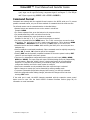
Miscellaneous Commands ..............................................................................................................................25
Calibrate Component/RGB inputs (5 and 6) ...................................................................................... 25
On-Screen-Display Enable ........................................................................................................................ 25
Initial Power State ....................................................................................................................................... 25
Power-On On-Screen Message ............................................................................................................... 25
Power-On and Power-Off RS232 Output Message .......................................................................... 25
Lock the Configuration .............................................................................................................................. 26
Test Patterns................................................................................................................................................. 26
Menu Timeout .............................................................................................................................................. 26
Front Panel LED Function......................................................................................................................... 26
Zoom Step ..................................................................................................................................................... 26
Sidebar Pan ................................................................................................................................................... 26
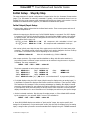
Other Commands ........................................................................................................................................ 27
Saving the Configuration................................................................................................................................27
Save ................................................................................................................................................................. 27
Save Undo...................................................................................................................................................... 27
Revert To Factory Settings....................................................................................................................... 27
Restore Configuration Saved during calibration ............................................................................... 27
Revert To Defaults For Current Output Resolution.......................................................................... 27
Serial RS232 Command Interface.................................................................... 28
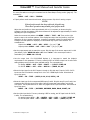
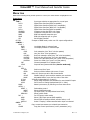
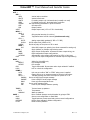
Menu tree..................................................................................................................... 30
For Optimal Picture Quality ...................................................................................... 32
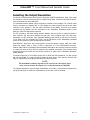
Selecting the Output Resolution ...................................................................... 33
Multiple Output Mode........................................................................................... 34
Troubleshooting...................................................................................................... 35
Updating Software..................................................................................................... 36
Specifications............................................................................................................... 37