1
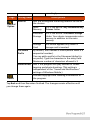
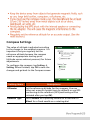
Compass Settings The value of altitude is adjusted according to the change in the ambient pressure. It is important that you regularly set the reference altitude because the compass needs an appropriate starting point (altitude versus ambient pressure) for future adjustments. To configure the compass, tap Setting Setting. When finished, tap OK to save the changes and go back to the Compass screen. Setting Items Descriptions Altimeter Set the reference altitude for the compass. You can either set a specific height (zero by default) or use GPS positioning as the reference (GPS positioning will be initiated after you tap OK). Rotation Type Set to Needle for a pivoting needle on a fixed dial or Wheel for a fixed needle on a rotating dial.