1
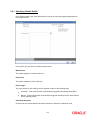
2.2.1 Specifying Default Details
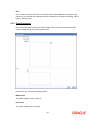
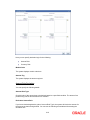
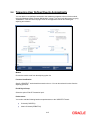
Click ‘Default’ button in the ‘User Defined Events’ screen to define the triggering parameters for
the configured event.
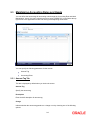
In this screen you can enter the following details below:
Module Code
The system displays the module code here.
Event Code
The system displays the event code here.
Event Trigger
The event, which you are defining, can be triggered in either of the following ways:
Automatic – This means that the event should be triggered automatically during EOD.
Manual - This means that the event should be triggered manually from the ‘User Defined
Event’ triggering screen.
Value Date Derivation
Check this box to indicate that the value date derivation is defined for a particular event.
2-4