1
LED Indicators
Dip Switch Setting
PWR
100/1000
PSE
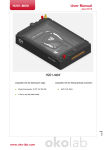
The IFC-1000PSE is provisioned through the use of a single 4pole DIP (Dual Inline Package) switch located on the front
panel. Setting a switch down places it in the ON position.
FULL
FX LNK
UTP LNK
Switches 1&2 provide setting auto-negotiation (Nway) or
manual forced speed of 10, 100 or 1000. Default is all OFF.
LED
Function
State
Status
PWR
Converter
Power
ON
OFF
Power on
Power off
PSE
PSE Status
ON
OFF
PSE power in-use
PSE standby
FX LNK
Fiber link
Status
ON
OFF
Fiber link is ok
No Fiber link
100/1000
LAN Speed
Status
Orange
Green
OFF
1000Mbps
100Mbps
10Mbps
FULL
LAN Duplex
mode
ON
OFF
Full duplex
Half duplex
UTP LNK
UTP link
Status
ON
OFF
UTP link is ok
No UTP link
[email protected]
Installation
Connect the Ethernet cable to the IFC-1000PSE. The converter
will sense whether to operate in Full or Half mode and will be
indicated on the LED. Follow the connection examples below.
Connections
The following example illustrates the connection scheme
when connecting from IP Camera and VoIP Phone to
10/100/1000Base-T UTP port through the IFC-1000PSE fiber
converter.
Switch 3, when ON (down), sets the forced Half Duplex for
either 10Base or 100Base, or sets Full Duplex when OFF (up).
Switch 4 is used to enable the LFP (Link Fault Pass-Thru)
function. LFP is enabled when the switch is ON (down).
ON
[email protected]
Link-Fault-Pass Through (LFP) Note
This media converter incorporates a fiber link pass through
feature which allows indirect sensing of a fiber link loss via
10/100/1000 Base-TX UTP connection. Whenever the media
converter detects a link loss condition on the receive fiber (FX
LNK Off), it disables its UTP transmitter so that a link loss
condition is sensed on the receive UTP port. (See the following
figure) The link loss can then be sensed and reported by
network management agent at the remote UTP port’s host
equipment.
The LFP feature has no effect on the media converter’s UTP
Link LED, which continues to function normally, independent
of the state of the fiber LNK LED and the UTP transmitter. This
feature is disabled by default from the factory.
[email protected]
[email protected]