1
23
6
8421 -1595015950-18
INSTALLATION
This section describes how to install the Scale Object, Common Control Object and the configuration/test program.
6.1
OPOS Scale Control & WTOPOSAdmin Installation
A single self-extracting installation file contains all necessary software components to be installed. This file is called
WTOPOS.EXE and includes:
•
The Weigh-Tronix OPOS Scale Service Object (WTScaleSO.DLL)
•
The Scale-Class Device Common Control Object (OPOSScale.OCX) (courtesy of OPOS administration & RCS)
•
The Weigh-Tronix Administrator Configuration/Test Program (WTOPOSAdmin.EXE).
The installation process will begin by simply double-clicking on the WTOPOS.EXE file. All necessary files will be automatically extracted and installed. In addition, the WTScaleSO.DLL and OPOSScale.OCX components will be registered
in the system registry.
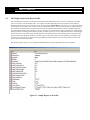
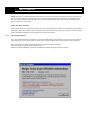
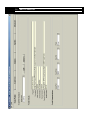
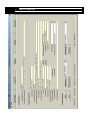
After the installation process is complete, you can launch the WTOPOSAdmin configuration/test program from the
“start” button (assuming you have installed to the default names and directories) by selecting:
Start, Programs, Weigh-Tronix WTOPOSAdmin, Weigh-Tronix WTOPOSAdmin
6.2
OPOS Scale Control & WTOPOSAdmin Uninstall
If you need to uninstall the application, you should do so through the Windows ® Control Panel.
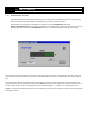
Click on: Start, Settings, Control Panel, then double-click on Add/Remove Programs, click on
the Install/Uninstall tab and then locate and click on the Weigh-Tronix WTOPOSAdmin entry.