1
Setting Jitter/Wander Parameters
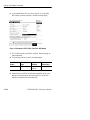
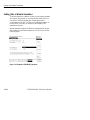
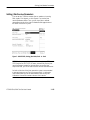
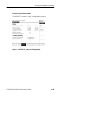
Figure 3 65:Example of TEST SETUP, Jitter & Wander screen
Before selecting a jitter test, set the specific jitter generation and
measurement rates and payloads required by the test. For example, to
perform an output jitter test on an STM 1 signal, set the receive line
rate to STM 1 before selecting test setups.
It is not necessary to set the jitter and wander TRANSMIT or
RECEIVE settings, since this is done automatically by the CTS850
software, depnding on the test type.
When the test is complete, you can save the results, print the results,
or export the results data to bring into a spreadsheet. Refer to
“Saving and Recalling Setups” later in this section for more
information.
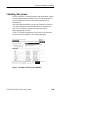
Setting Up a Jitter Test
To set up a jitter test:
1. If the jitter test requires the test set to measure jitter, use the
RECEIVE menu to set the receive parameters that are appropriate
for the signal you will be measuring. Refer to Setting SDH
Receive Parameters for information about this topic.
3 160
CTS850 SDH/PDH Test Set User Manual