1
Setting Jitter/Wander Parameters
NOTE. Separate Highband National and Highband Standard settings
are available for the 2 Mb/s rate, as referenced in the ITU T
standards.
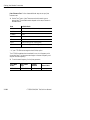
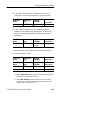
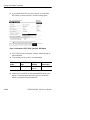
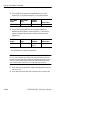
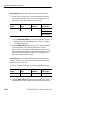
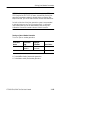
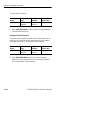
If you select the Fullband jitter input filter, perform the following
steps to set the filter high-pass frequency:
Press Menu
Button
Select Menu
Page
Highlight
Parameter
RECEIVE
JITTER &
WANDER
Fullband
High-pass
Select Choice
0.1 Hz
1 Hz
10 Hz
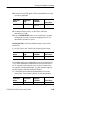
Note that the lock time for 1 Hz and 10Hz settings are longer than
other filter settings.
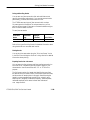
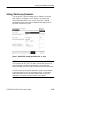
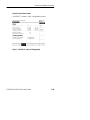
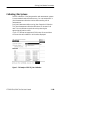
Setting the Jitter Hit Threshold
The jitter hit threshold determines the sensitivity of the Jitter Hit
Seconds measurement, which is based on peak-to-peak jitter.
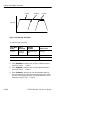
Jitter Hit Seconds is a count of how many seconds the threshold was
exceeded since the beginning of the the measurement. Measurement
will normally begin between 2 5 seconds after the start button on the
front panel is pressed. You can set the threshold to any value between
0 and 200 UI, depending on the Range Setting.
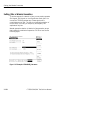
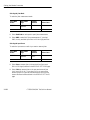
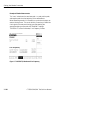
Whenever the received jitter exceeds the range of the jitter
measurement system, the Current Jitter reads Unlocked. Jitter
Unlocked Seconds is a count of how many seconds the measurement
system has been unlocked since the beginning of the the measurement.
CTS850 SDH/PDH Test Set User Manual
3 179