1
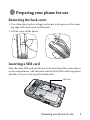
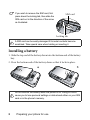
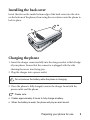
• When the battery is discharged, the charging may not start immediately
when you plug in the connector. Wait 10 to 15 minutes for the phone to
begin charging.
Turning the phone on
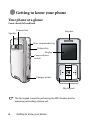
1. Open the flip.
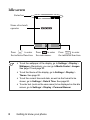
2. Long-press
to turn the phone on. The phone will display the
welcome animation.
In this user manual, "long-press" means to press and hold down a key
for about two seconds. "Press" means to press a key and release
immediately.
To set a welcome message, go to: Settings > Display > Welcome
Message. For details, please refer to page 82.
3. Enter your PIN code and press
to confirm.
The PIN (Personal Identification Number) is the password provided by
your network operator. You need this password in order to use the
SIM card.
If you enter the PIN incorrectly three times in a row, the SIM card will
be locked. You must now enter the PUK (Personal Unblocking Key)
for that SIM card in order to unlock it. Please contact your network
operator to obtain a PUK.
To activate/disable PIN password authentication, go to Settings >
Security > PIN Code > PIN 1 Code > Set Status. See page 89.
4. When the PIN code entered has been accepted, the phone will
automatically search for the designated network. This search process
may take a few seconds.
4
Preparing your phone for use