1
4. When you finish editing the message, press
to Send Message,
Save to Drafts, Save to Private Folder, or Discard the message.
Managing Inbox
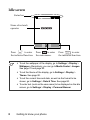
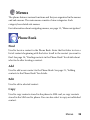
Your phone saves incoming messages in the Inbox. To manage Inbox
messages, go to SMS > Inbox. A list of messages received appear. To
view a message, scroll to it and press
.
Read messages saved on the phone or on the SIM will be
marked by
or
. Unread messages saved on the phone
or on the SIM will be marked by
or
.
To decide where new messages will be saved to, go to
Messages > SMS > Settings > Save Msg. To.
Managing Outbox
Go to SMS > Outbox. Outbox preserves a backup copy of messages
that you failed to send.
Managing Sent Items
Go to SMS > Sent. The Sent folder preserves messages that were
successfully delivered.
Managing Drafts
Go to SMS > Drafts. The Drafts folder contains message drafts that
you chose to save. To edit a draft, scroll to it and press
.
Using your phone
45