1
6.3.1
–
Cross currency transfers, i.e., the ‘pay’ currency is not the same as the ‘receive’
currency
–
Contracts marked with Rate type as After rate refresh
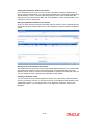
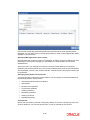
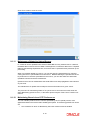
Invoking Rate Update Function
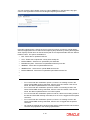
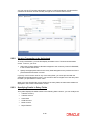
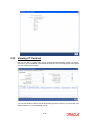
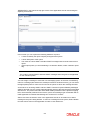
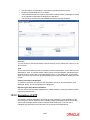
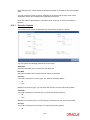
From the Application Browser choose EOC Operations. Thereafter, choose Intraday Batch,
and from the LOV of function ID choose the Rate Update (FTRTUPDT) under it.
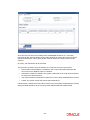
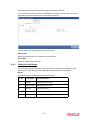
When you invoke this function, the system gives the message as ‘The rates have been
refreshed and sent to the host. Do you want to continue’.
Click on ‘Yes’ in the message box to indicate that the rates have been refreshed. Thereafter,
you can proceed with the rate update function.
Once the rate update function is completed successfully, the applicable contracts will be
updated with the event ‘RATE’ and the latest rate will be applied and the contract will be
liquidated.
6.3.2
Processing Contract with Rate Update
All the contracts which have been booked as cross currency and the rate refresh checked
remain as active. Invoke the Rate refresh batch and run the same. Once the rate refresh batch
is run, then those contracts are updated with the latest rate and the contract is liquidated.
You can update the rates of an unauthorized contract. However the status of the contract
remain as unauthorized.
Thereafter, the necessary accounting entries and messages are passed for the transfer in
accordance with the specifications you made in the ‘Message As Of’ field of the contract main
screen.
If there are contracts for which a rate update is due and exchange rates for the day have been
refreshed; however but the rate update function is not invoked, then the Autobook function
automatically picks up those contracts and processes them with the refreshed rates.
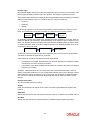
For example,
Let us assume that a customer of your bank requests you to initiate a transfer on his behalf
on 23 March 1999 (Booking date). Assume that for the contract you had specified 30 March
1999 (Value date) in the ‘Rate as of’ and ‘Message as of’ fields. Assume that you had
specified that the rates to be used for the contract are to be picked up from the currency table,
after the rates have been refreshed (Standard rate - ‘after rate refresh’).
On 23 March 1999 (the day on which you enter the contract), the contract will not be
processed, no Accounting Entries will be passed nor will any messages be generated.
On the 30 March 1999, when you invoke the Rate Update function; the system will ensure that
the rates have been refreshed before it allows you to update the contract with the refreshed
rates.
Since the Message and Rate is as of ‘Value date’, accounting entries and messages will be
generated on 30 March 1999.
6-3

















![[December] [2011] Oracle Part Number E51535-01](http://vs1.manualzilla.com/store/data/005639894_1-7cab28abe75641f653b0af59966ce958-150x150.png)